Free Favicon Generator — All Sizes from One Image
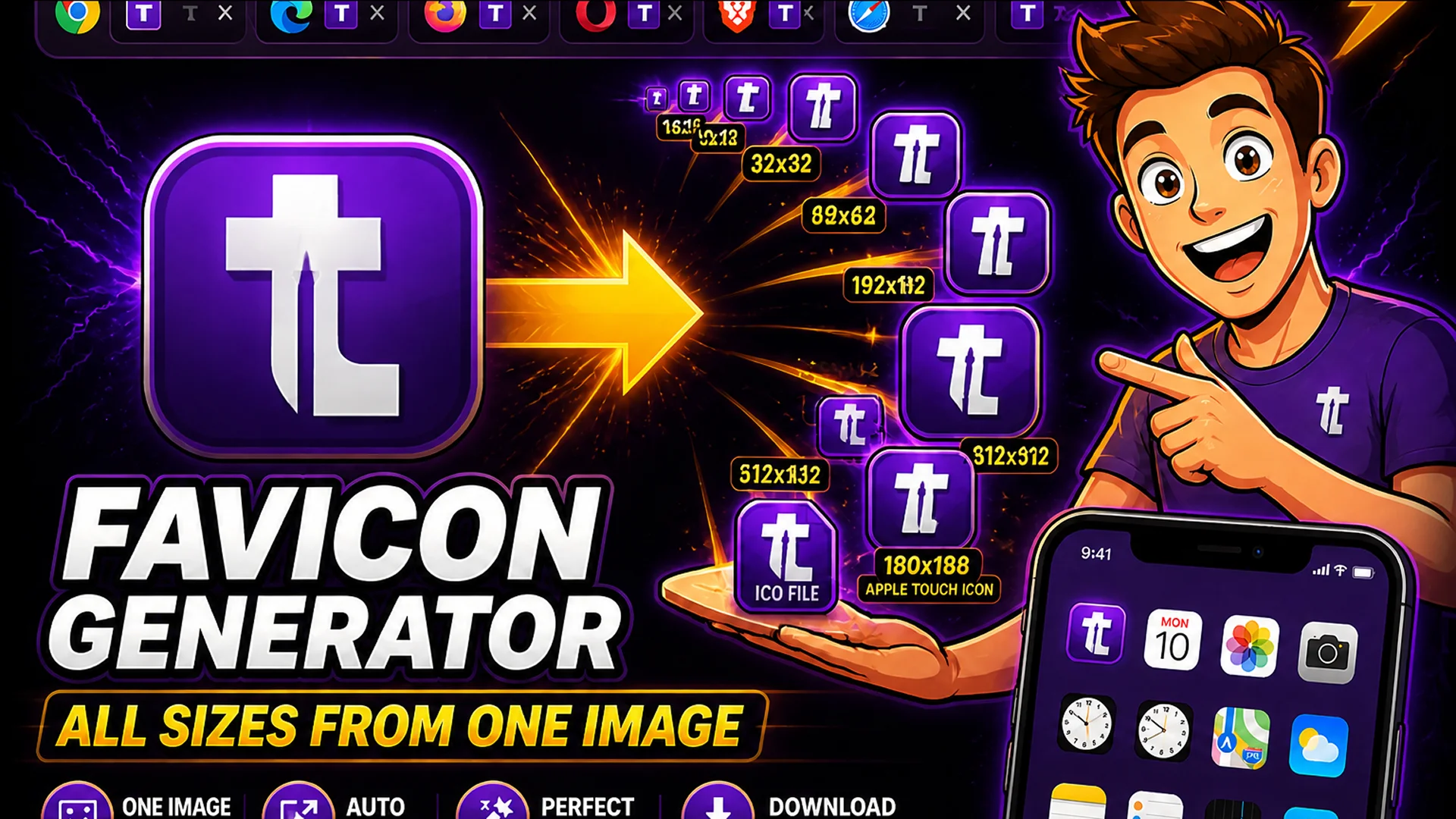
Generate complete favicon sets from a single image. Get all required sizes as PNG, ICO, and Apple Touch Icon. Free, instant, no upload to servers.
Every Website Needs a Favicon — Here Is the Fastest Way to Get One
A favicon is the small icon that appears in browser tabs, bookmarks, browser history entries, and on mobile home screens when a user saves a website as a web app. Without a favicon, your site displays a generic browser default icon — a small detail that signals to users and search engines that the site is either unfinished or unprofessional.
The complication: different browsers and devices require favicons in different sizes and formats. A complete favicon set includes at minimum six different sizes to work correctly across all major browsers, operating systems, and device types. Generating all of these manually requires either a dedicated design tool or several export operations. The Toolsnests Favicon Generator produces the complete set from a single source image in one operation.
What Sizes Does a Favicon Need to Be?
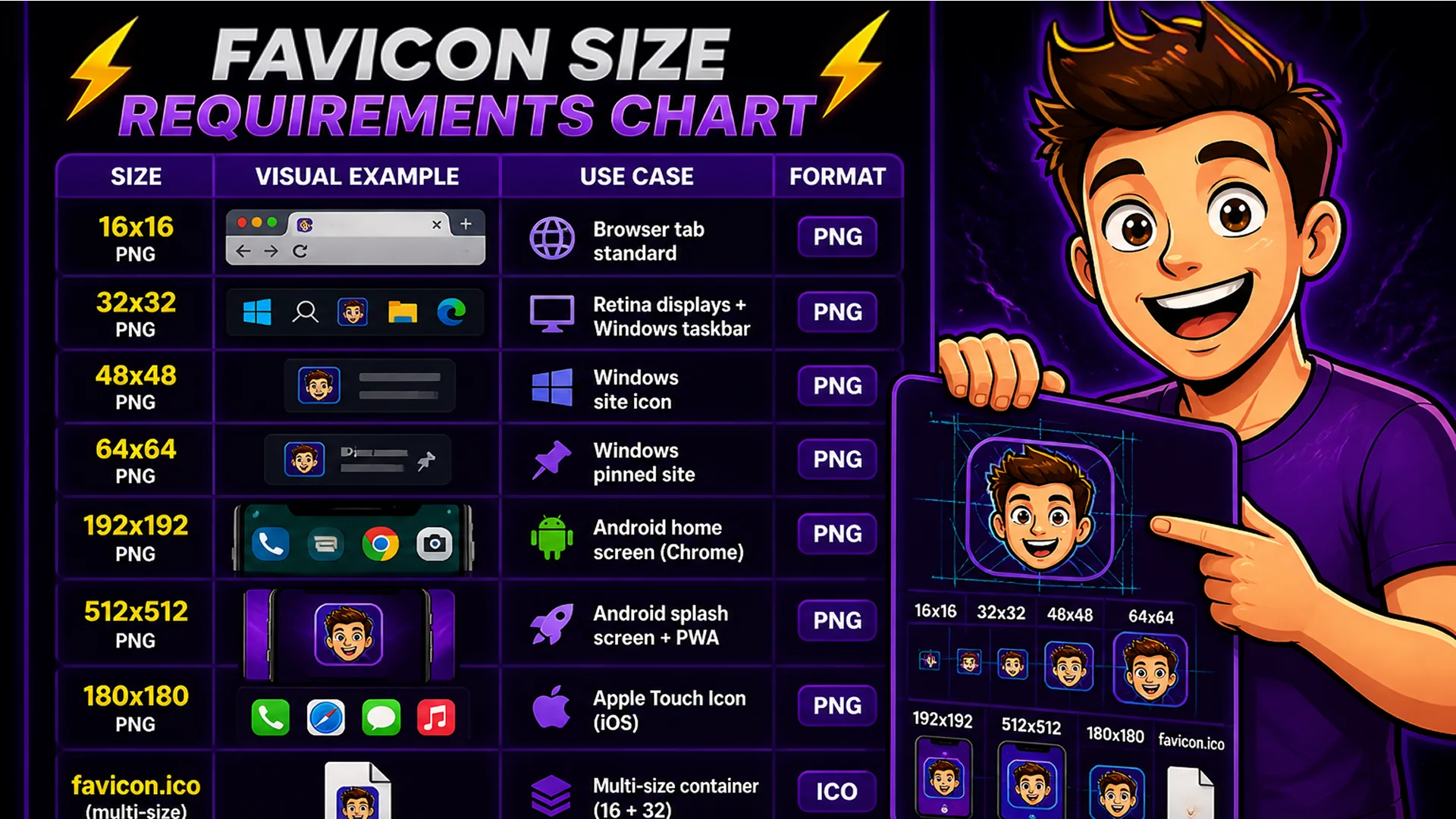
A complete favicon set requires: 16x16 PNG (browser tab on standard displays), 32x32 PNG (browser tab on retina/HiDPI displays, Windows taskbar), 48x48 PNG (Windows site icon), 64x64 PNG (Windows taskbar pinned site), 192x192 PNG (Android home screen, Chrome for Android), 512x512 PNG (Android splash screen, PWA manifest), and 180x180 PNG (Apple Touch Icon for iOS home screen).
The ICO format (favicon.ico) is a container file that can hold multiple sizes. Browsers look for favicon.ico in the site root as a fallback when no HTML link tag specifies a favicon. A properly generated ICO file contains 16x16 and 32x32 variants embedded together.
How to Generate a Favicon Set on Toolsnests
Open the Favicon Generator — no login, no installation.
Step 1: Upload your source image — use a square image at 512x512 pixels or larger for best results. SVG, PNG, and JPG are all accepted. Step 2: The generator produces all required sizes instantly: 16x16, 32x32, 48x48, 64x64, 192x192, 512x512 PNG files, a favicon.ico containing 16x16 and 32x32, and a 180x180 Apple Touch Icon. Step 3: Download all files as a ZIP. Step 4: Copy the provided HTML link tags and paste them into your page head section.
What Source Image Should You Use?
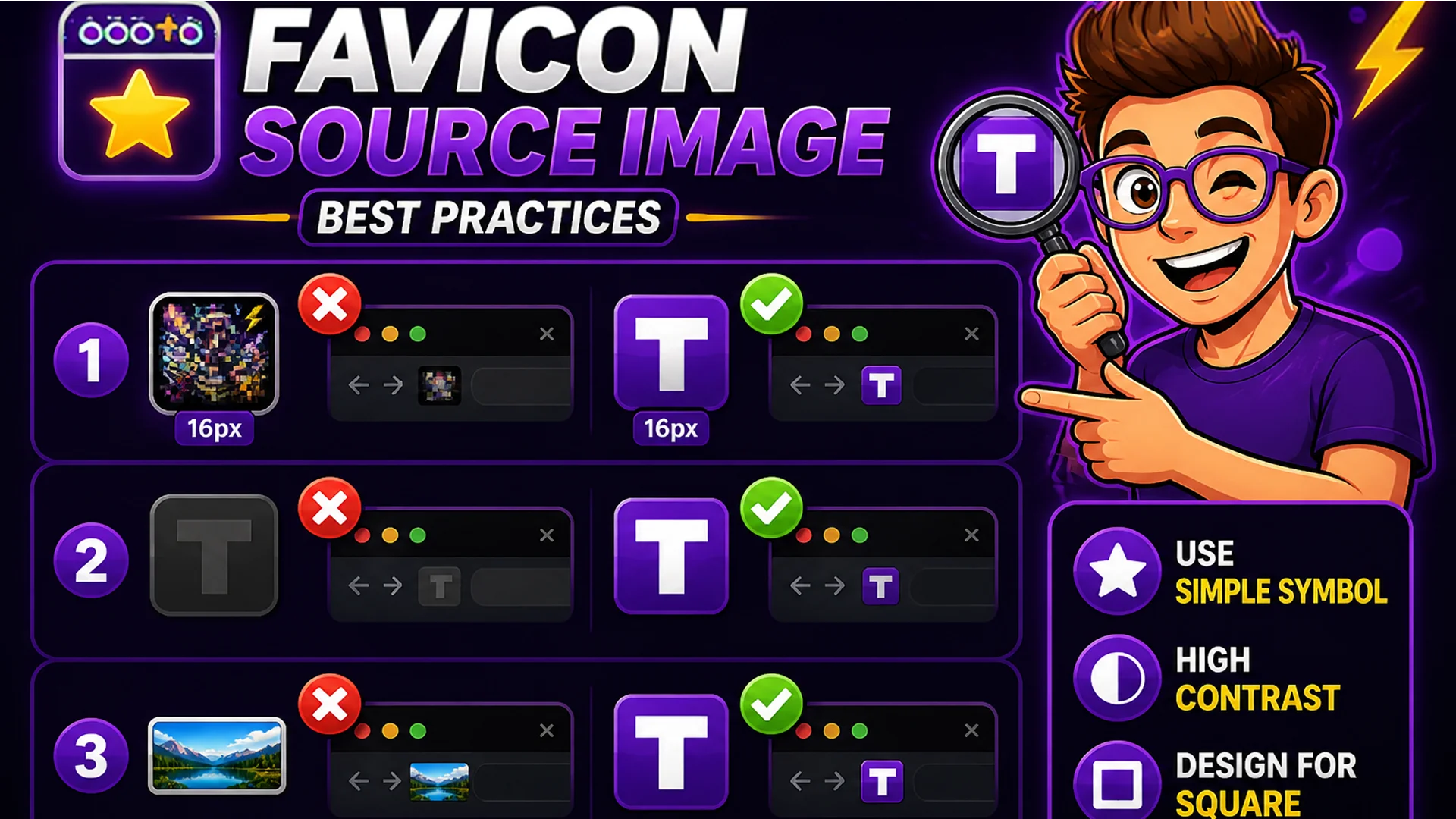
Favicons are displayed at very small sizes — often 16x16 or 32x32 pixels on screen. An image that looks good at large sizes may become unrecognizable at 16x16 if it has too much detail. Best practices for favicon source images: use a simple, recognizable symbol or letter rather than a complex logo, ensure the design works as a square (favicons are always square), use high contrast between the icon and its background so it is visible on both light and dark browser themes, and use a transparent background to let the browser's theme show through.
Ideal source images: your brand's logomark (the symbol-only version, not the full logo with text), the first letter of your brand name in a distinctive typeface on a colored background, or a simple icon that represents your site's purpose.
The HTML Tags You Need
After generating your favicon files and uploading them to your site's root directory, add these link tags to the head section of every page: link rel='icon' type='image/png' sizes='32x32' for the 32x32 PNG, link rel='icon' type='image/png' sizes='16x16' for the 16x16 PNG, link rel='apple-touch-icon' sizes='180x180' for the Apple Touch Icon, and link rel='manifest' for the site webmanifest file that references the 192x192 and 512x512 icons for PWA support. The Favicon Generator outputs these tags ready to copy and paste.
Related Image Tools
Image Resizer — resize source images to the recommended 512x512 before favicon generation. Image Compressor — compress favicon PNG files to reduce their file size. PNG to WebP Converter — convert source images to WebP before processing.
Final Thoughts
A favicon is a small detail with a significant impact on the perceived professionalism and completeness of a website. Generating the full set of required sizes from a single source image is a 30-second task with the right tool.
Open the Favicon Generator, upload your logo or icon, and download the complete favicon set in under a minute.