Free Meta Tag Generator for SEO — Open Graph & Twitter Cards
Generate SEO-optimized meta tags, Open Graph tags, and Twitter Card markup for any web page. Free, instant, copy-ready HTML output.
Meta Tags Are the Foundation of SEO and Social Sharing
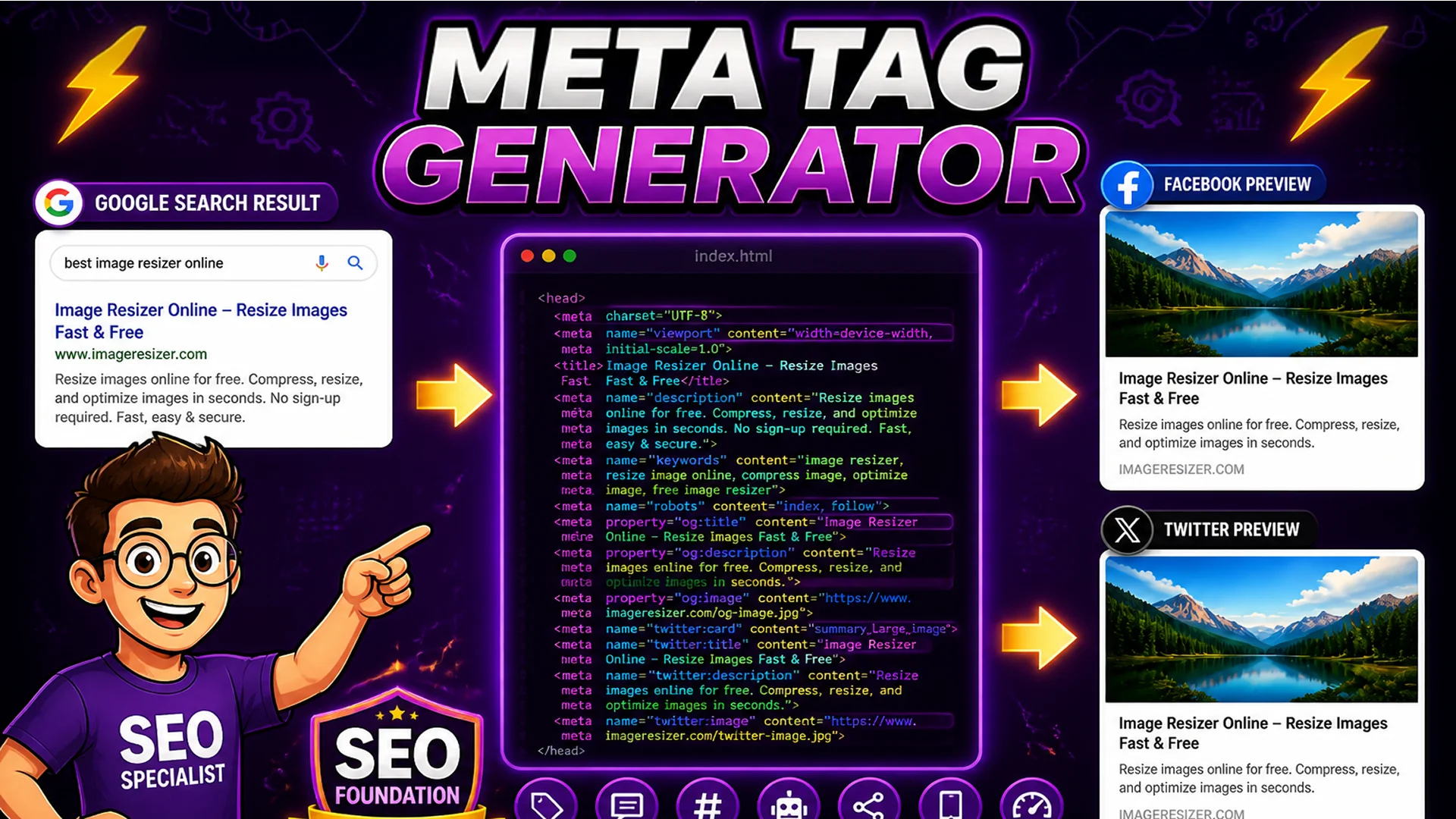
Meta tags sit in the HTML head section of every web page, invisible to readers but critical to search engines and social media platforms. They tell Google what a page is about, provide the text shown in search results, and control how a page looks when shared on Facebook, LinkedIn, Twitter, or any other platform that reads link previews.
A well-configured meta tag set is not optional for any page that needs to be discovered, indexed, and shared effectively. Missing or poorly written meta tags mean your page shows up in search results with a truncated title and no description — and shares on social media display a broken preview with no image, a wrong title, or an auto-selected image that makes no sense.
What Are Meta Tags? The Three Types You Need
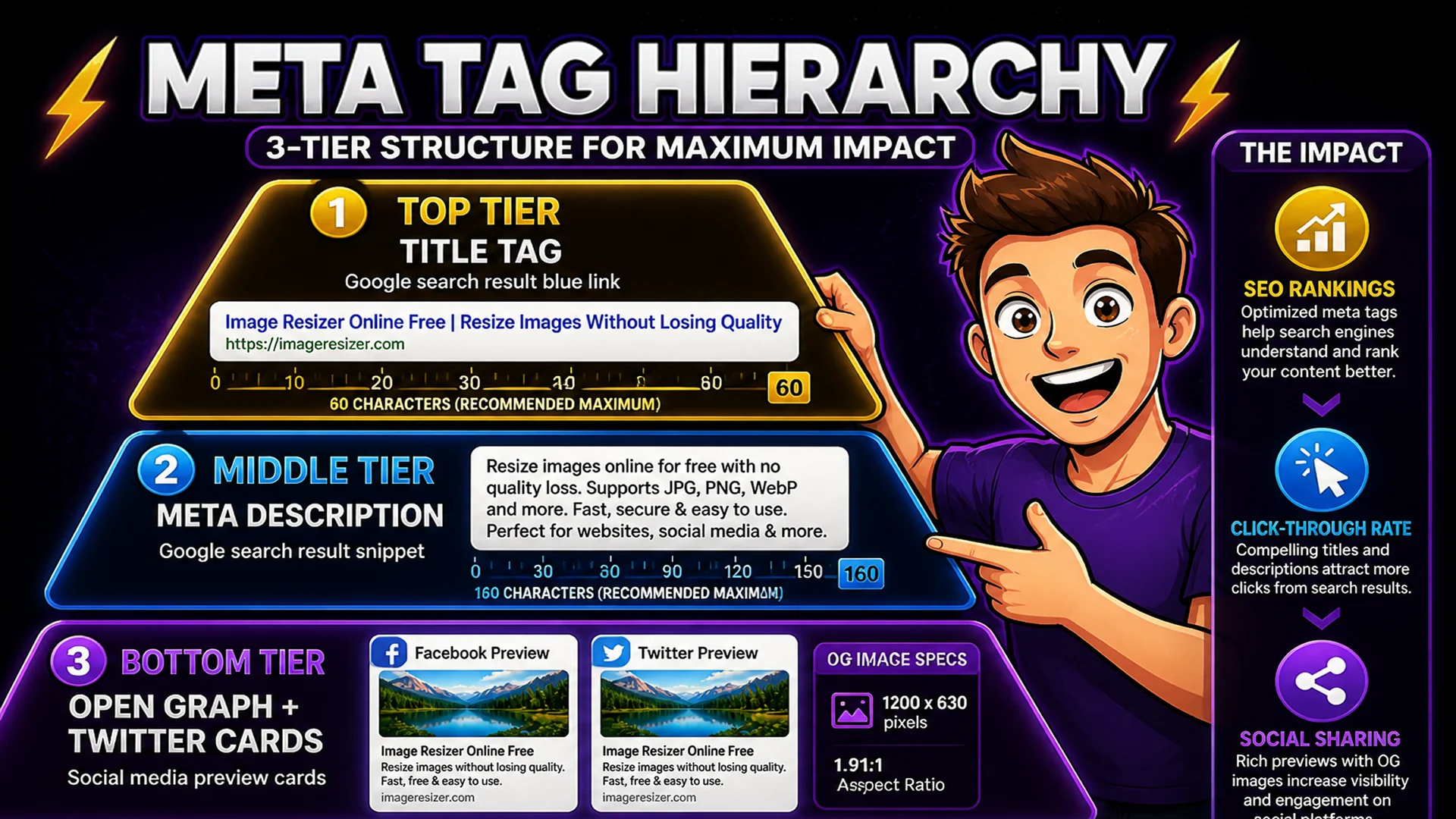
Title tag: the most important on-page SEO element. Appears as the blue clickable link in Google search results and in the browser tab. Should be under 60 characters, include the primary keyword, and describe the page uniquely. Every page on your site needs a different, specific title tag.
Meta description: the gray text shown beneath the title in search results. Not a direct ranking factor, but critical for click-through rate — a well-written description that matches search intent gets clicks. Should be under 160 characters, include the primary keyword naturally, and give searchers a reason to click your result over the ones above and below it.
Open Graph and Twitter Card tags: control how your page appears when shared on social media. The og:title, og:description, og:image, and og:url tags determine what Facebook, LinkedIn, and WhatsApp display for your link. The twitter:title, twitter:description, and twitter:image tags control the Twitter/X Card preview. Without these tags, social platforms guess at what to display — usually with poor results.
How to Generate Meta Tags on Toolsnests
Open the Meta Tag Generator — no login, no installation.
Step 1: Enter your page title (shown in search results and browser tabs — keep under 60 characters). Step 2: Enter your meta description (shown under the search result — keep under 160 characters). Step 3: Enter your canonical URL (the definitive URL for this page). Step 4: Upload or link to your Open Graph image (recommended size: 1200x630 pixels). Step 5: Select your Open Graph content type (website, article, product). Step 6: Choose your Twitter Card type (summary, summary_large_image). The generator outputs a complete, copy-ready HTML block you paste directly into your page head.
Character Limits That Matter: Title and Description
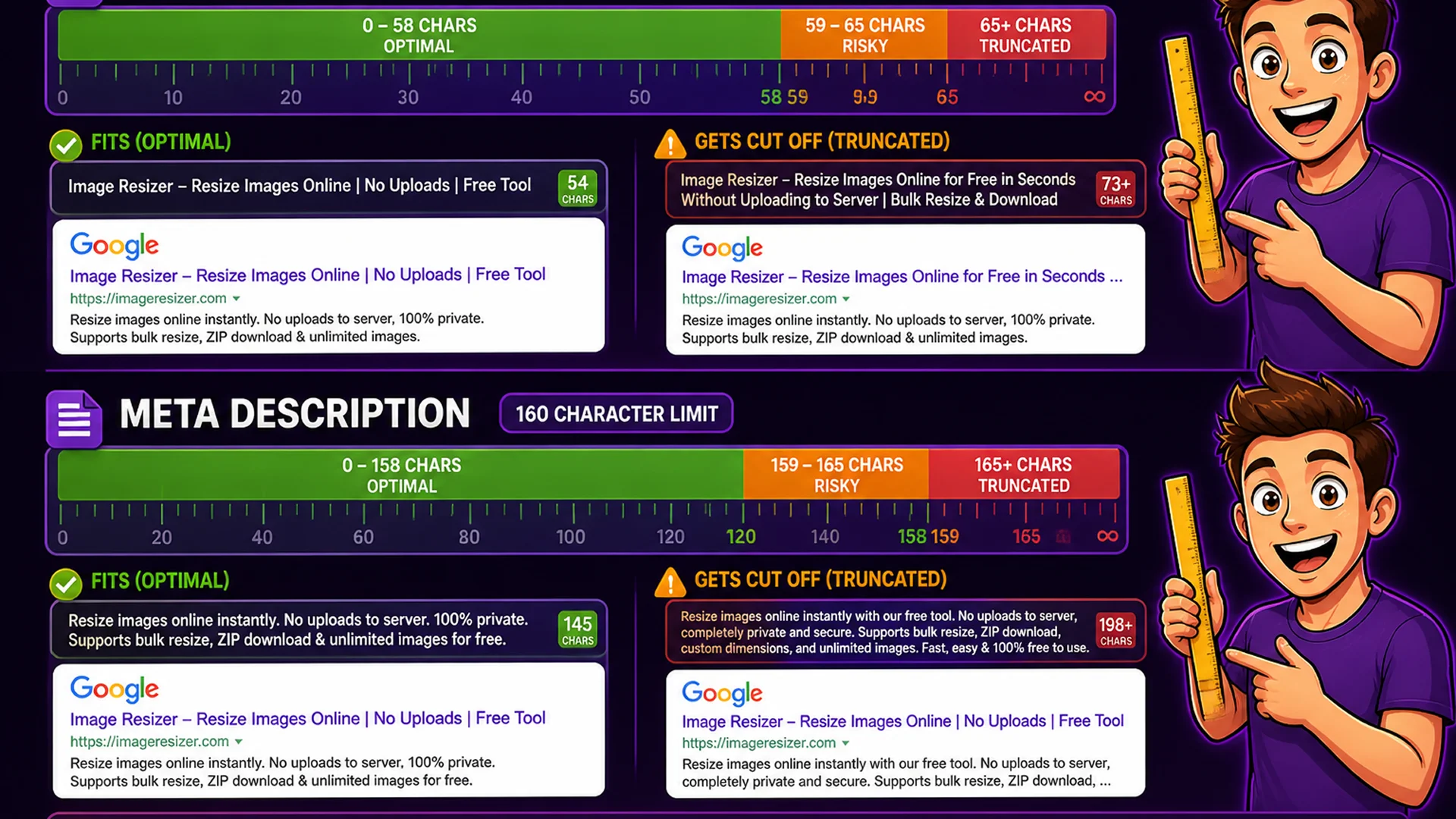
Google displays title tags up to approximately 600 pixels wide in desktop search results, which corresponds to about 60 characters for average-weight fonts. Titles longer than this are truncated with an ellipsis in search results — meaning your most important words should appear in the first 60 characters. For mobile, the limit is even shorter (around 50 characters).
Meta descriptions are displayed up to approximately 920 pixels wide in desktop results, corresponding to about 155–160 characters. Descriptions longer than this are truncated. Note that Google sometimes rewrites meta descriptions if it thinks a different text snippet would better match the user's search query — but having a well-written description still influences how Google summarizes your page.
Open Graph Image Specifications
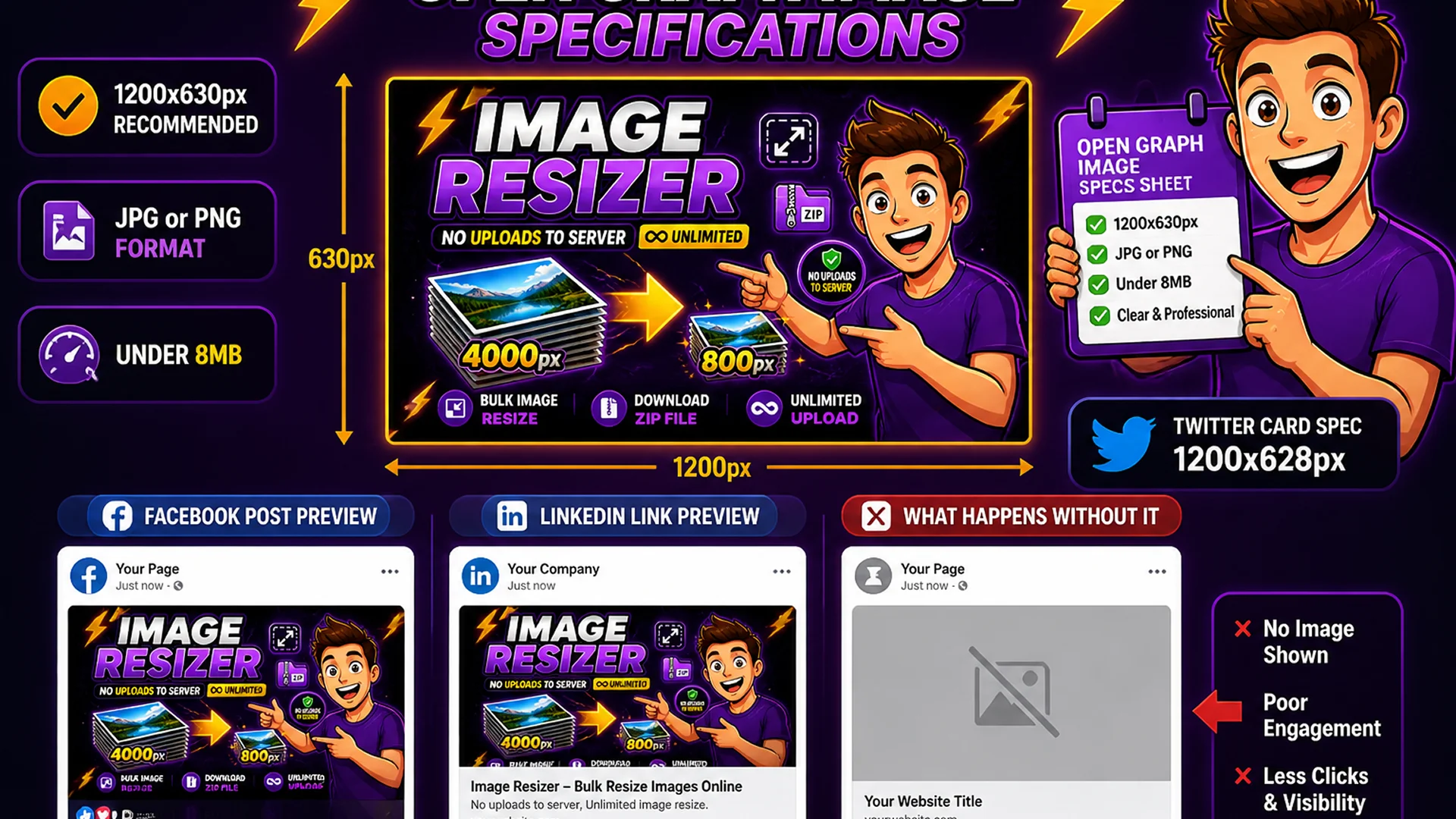
The Open Graph image (og:image) is the image displayed when your page is shared on Facebook, LinkedIn, and most other social platforms. Recommended specifications: 1200x630 pixels, JPG or PNG format, under 8 MB. The image should clearly communicate the page topic — ideally including the title text overlaid on the image for maximum information density in the preview.
Twitter Cards have slightly different specifications: for summary_large_image cards, the recommended size is 1200x628 pixels with a 2:1 aspect ratio. Twitter requires the image to be publicly accessible at the specified URL — local images or images behind authentication will not display.
Related SEO Tools
Sitemap Generator — create XML sitemaps and submit to Google Search Console. Robots.txt Generator — configure crawler access rules for your site. Keyword Density Checker — analyze keyword frequency and ensure your content matches your meta tags.
Final Thoughts
Meta tags are the first and most foundational layer of SEO. Every page you want to rank and share effectively needs a unique, well-crafted title tag, a compelling meta description, and complete Open Graph and Twitter Card markup. The Meta Tag Generator creates all of this in one form, in under two minutes.
Open the Meta Tag Generator and create the complete meta tag set for your most important pages today.