Minify CSS, JavaScript, and HTML Online — Free
Minify CSS, JavaScript, and HTML files online for free. Remove whitespace, comments, and redundant code to reduce file sizes and improve page load speed.
Why Minification Is Essential for Web Performance
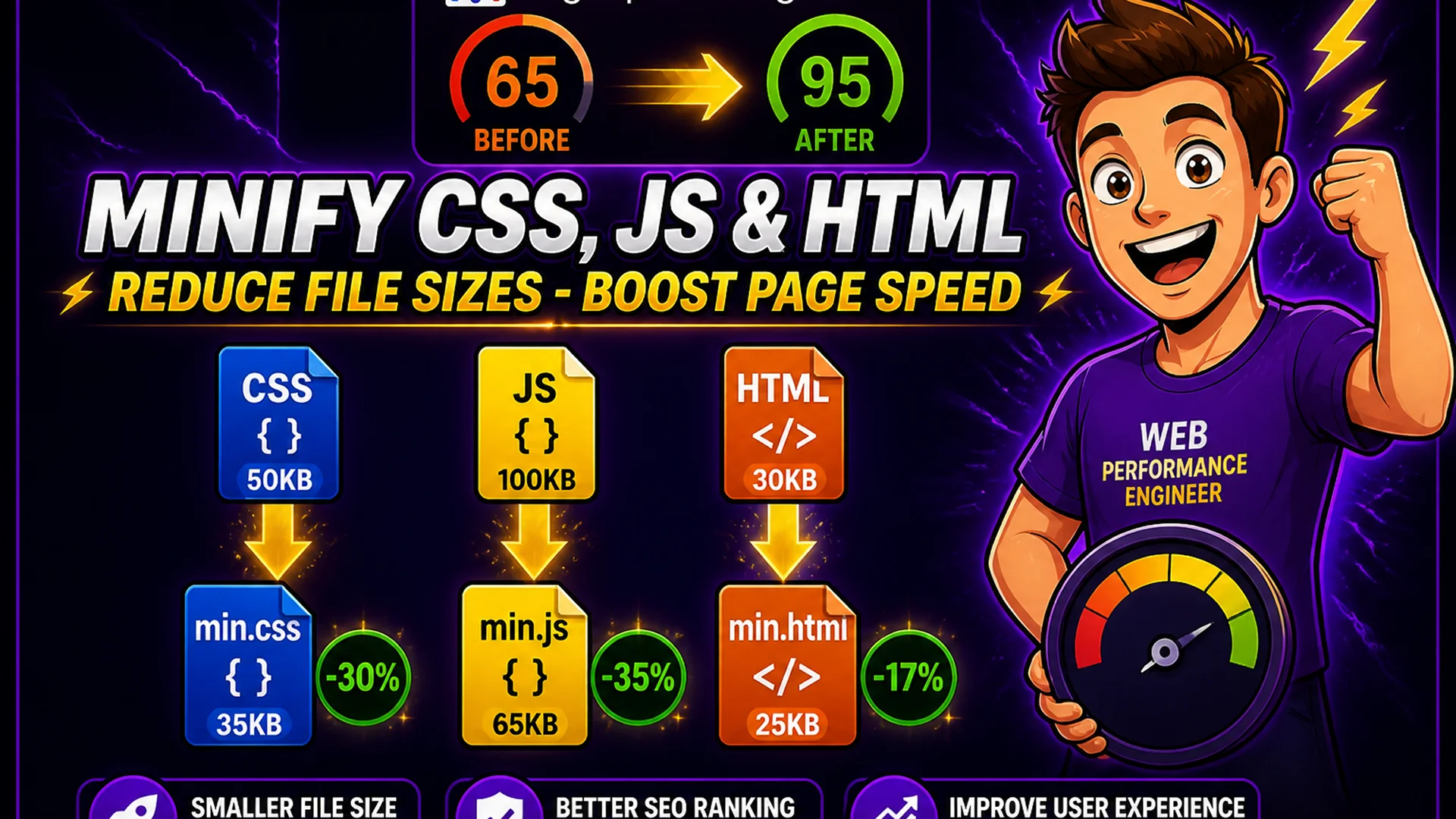
Every byte of HTML, CSS, and JavaScript that your web server sends to a browser costs bandwidth and load time. Unminified production code typically contains whitespace for indentation, comment lines for documentation, blank lines for readability, and long variable names for maintainability — all of which are meaningful for developers but invisible to browsers. Minification removes all of this developer-readable formatting, reducing file sizes by 20–40% for typical code.
Google's PageSpeed Insights and Lighthouse specifically flag unminified CSS and JavaScript as performance issues. The Core Web Vitals metric Largest Contentful Paint (LCP) is directly affected by how quickly render-blocking CSS and JavaScript load. Reducing the size of these files can measurably improve LCP scores and overall page performance.
What Minification Does to CSS, JavaScript, and HTML
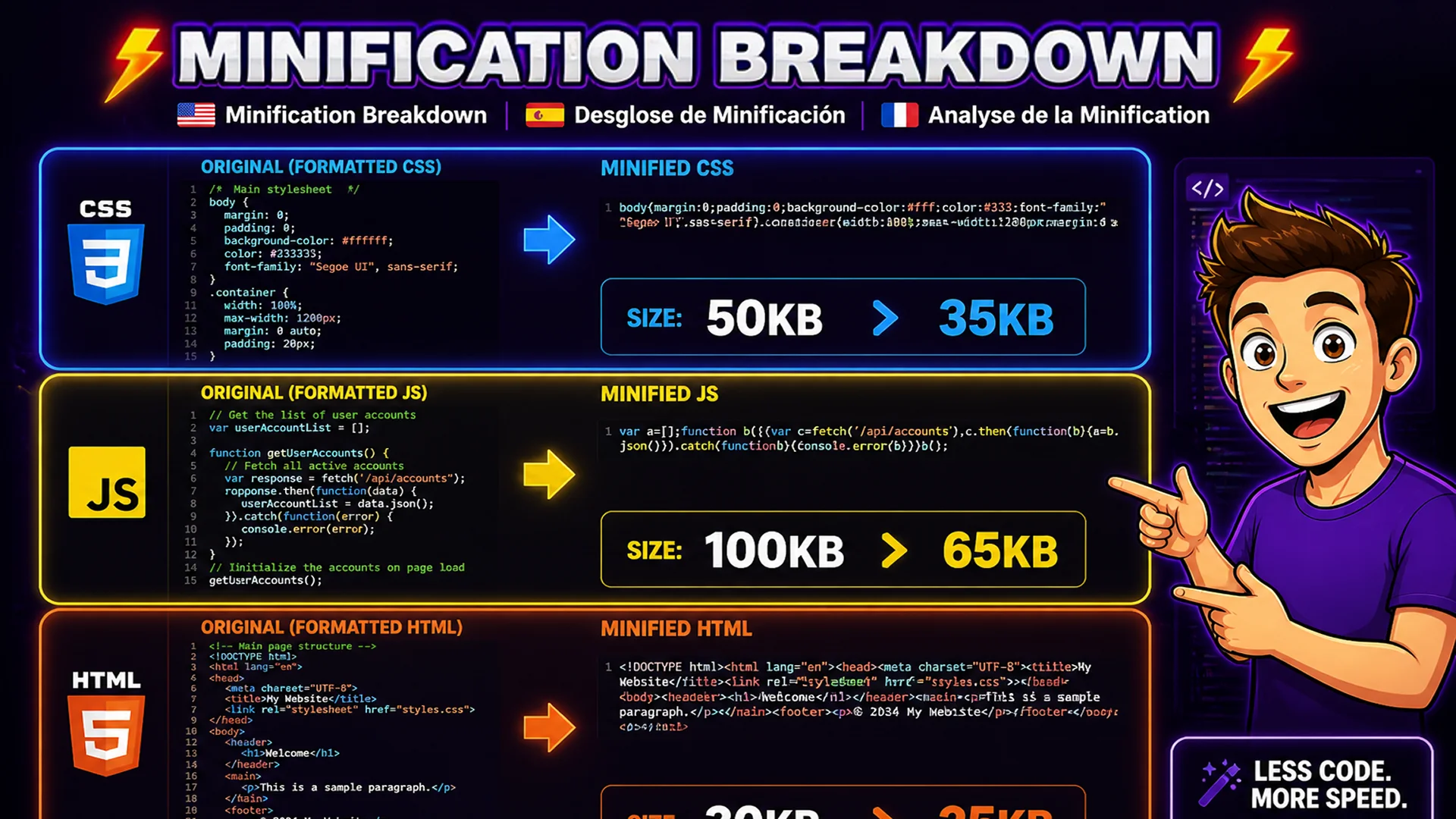
CSS minification: removes whitespace (spaces, tabs, newlines), removes comments, shortens property values where possible (color: #ffffff becomes color: #fff), merges adjacent duplicate rules, and removes trailing semicolons in declaration blocks. A 50 KB stylesheet can often be reduced to 35–40 KB after minification.
JavaScript minification: removes whitespace and comments, shortens local variable names to single characters (function parameter 'index' becomes 'i'), removes unnecessary semicolons, collapses string concatenations, and removes unreachable dead code. A 100 KB unminified script can often be reduced to 50–70 KB after minification — and further reduced to 20–30 KB after gzip compression by the server. HTML minification: removes whitespace between tags, removes HTML comments, collapses multiple spaces to single spaces, and removes optional closing tags where the HTML spec allows them. HTML minification typically achieves 10–20% reduction.
How to Minify CSS, JS, and HTML on Toolsnests
Open the dedicated minifier for your file type: CSS Minifier, JavaScript Minifier, or HTML Minifier — no login, no installation.
Step 1: Paste your source code into the input area. Step 2: Click Minify. Step 3: The minified output appears in the result panel with a before-and-after file size comparison showing the bytes saved and percentage reduction. Step 4: Copy the minified code with one click, or download it as a file. The entire operation completes in under a second for typical file sizes.
When to Minify and When to Use a Bundler
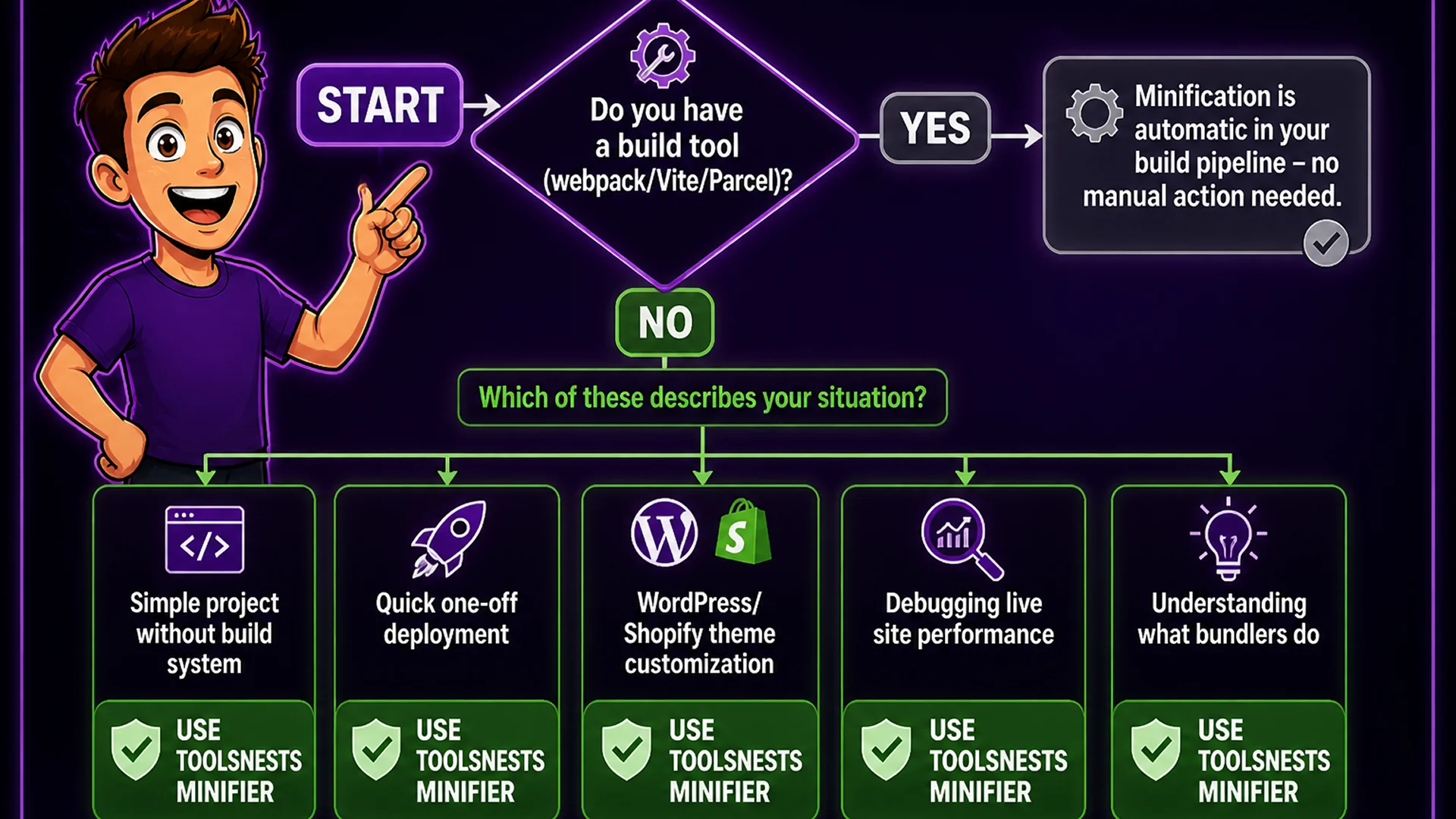
For projects with a build system (webpack, Vite, Parcel, Rollup), minification is typically handled automatically as part of the production build — you should not manually minify files in this case. Manual minification is appropriate for: simple projects without a build system (single HTML pages, WordPress theme customizations, Shopify theme files), quick one-off deployments where adding a build tool would take longer than minifying manually, debugging a performance issue on a live site by minifying a specific file, and vendor scripts or third-party libraries that you need to include but that are not already minified.
Even with a build system, the Toolsnests minifiers are useful for quick experiments — paste a snippet, see how much it minifies, understand what a bundler would do with your code.
Minification and Gzip: Understanding the Combined Effect
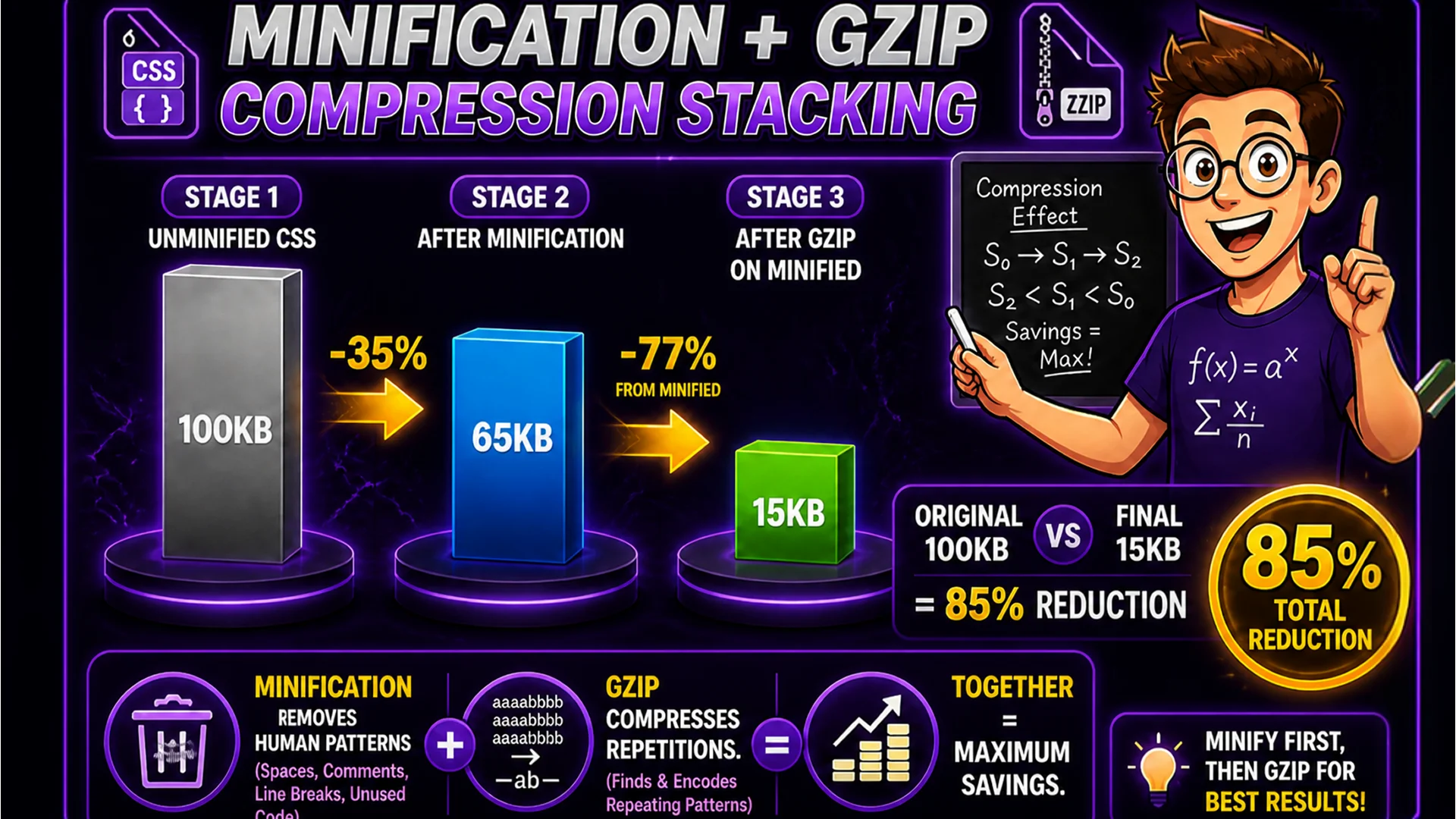
Minification and server-side gzip or Brotli compression are complementary, not redundant. Minification removes human-readable patterns (whitespace, comments, long names) that add no value to the browser. Gzip compression then compresses the remaining code further by finding and encoding repeated byte sequences — and it does this most efficiently on code that is already minified.
A typical cascade: 100 KB unminified CSS, minified to 65 KB (-35%), then gzip-compressed to 15 KB (-77% from minified). The combined reduction from 100 KB to 15 KB is 85%. Both steps are important and they compound each other.
Related Developer Tools
JSON Formatter — format minified JSON for readability during development. Markdown Editor — write documentation with live preview alongside your minification workflow. Base64 Encoder — encode assets as data URIs to eliminate HTTP requests in minified stylesheets.
Final Thoughts
Minification is one of the simplest and highest-impact web performance optimizations. Reducing CSS, JavaScript, and HTML file sizes by 20–40% through minification — and achieving 80–90% reduction when combined with gzip compression — directly improves page load times, Core Web Vitals scores, and the user experience for visitors on all connection speeds.
Start with the CSS Minifier — paste your stylesheet and see the size reduction in seconds.