Convert PNG to WebP Online Free — Bulk & Fast
Convert PNG images to WebP format online for free. Batch convert entire folders, set quality, and download a ZIP. No upload to servers, fully private.
Why Converting PNG to WebP Dramatically Improves Web Performance
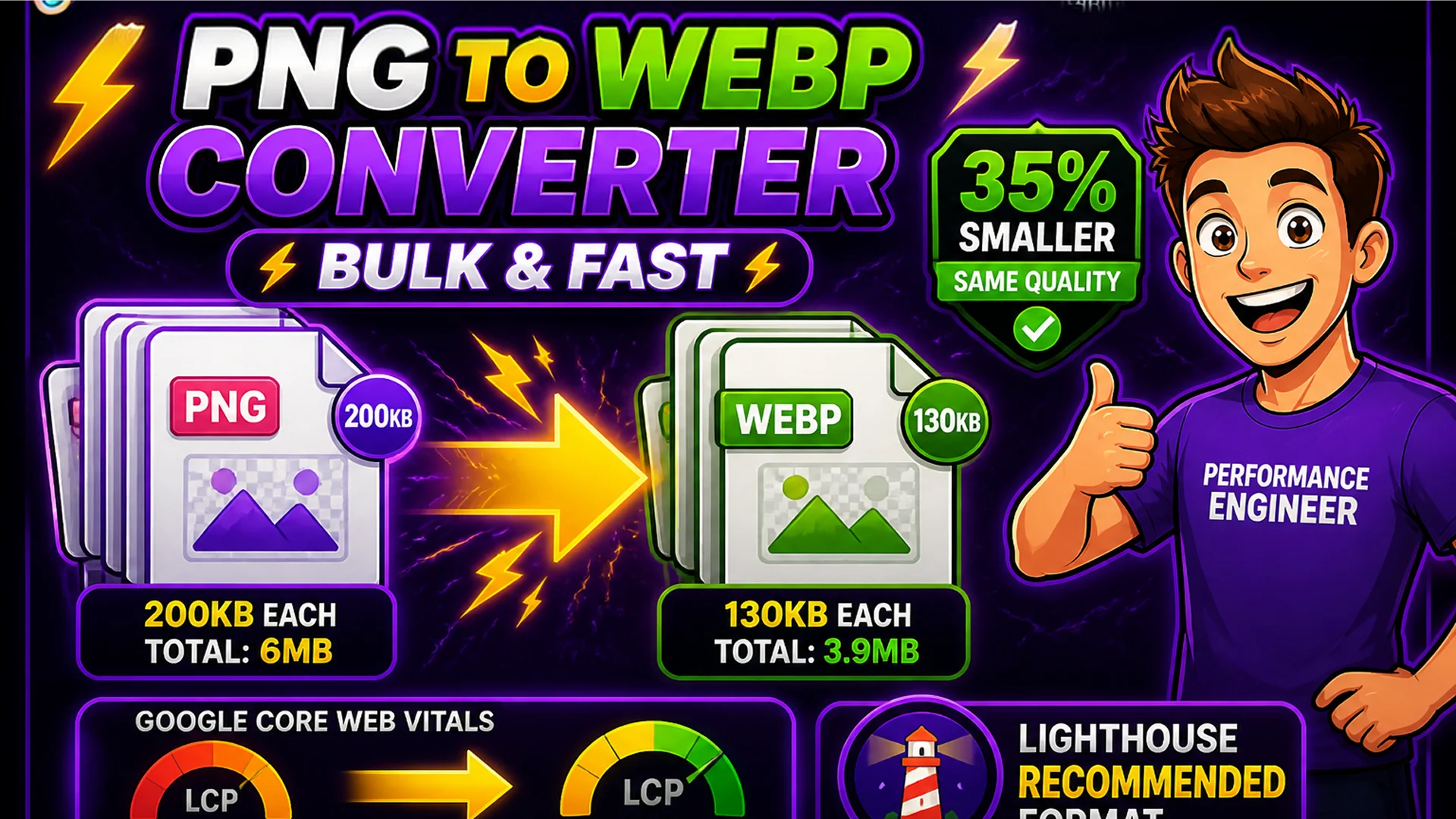
WebP is Google's open image format, engineered specifically for web delivery. Compared to PNG, WebP achieves 25–35% smaller file sizes at equivalent visual quality. For a website with 30 PNG images averaging 200 KB each (6 MB total), converting to WebP typically reduces the total to 4–4.5 MB — a saving of 1.5–2 MB per page load. At scale, across thousands of daily visitors, this translates to significantly reduced bandwidth costs and faster load times.
Google's Core Web Vitals algorithm scores Largest Contentful Paint (LCP) — how quickly the largest image on the page loads. Smaller WebP files load faster, directly improving LCP scores. Google Search Console even includes 'Serve images in next-gen formats' as a specific Lighthouse recommendation — and WebP is the primary format it suggests.
What Is WebP and Why Is It Better Than PNG for Web?
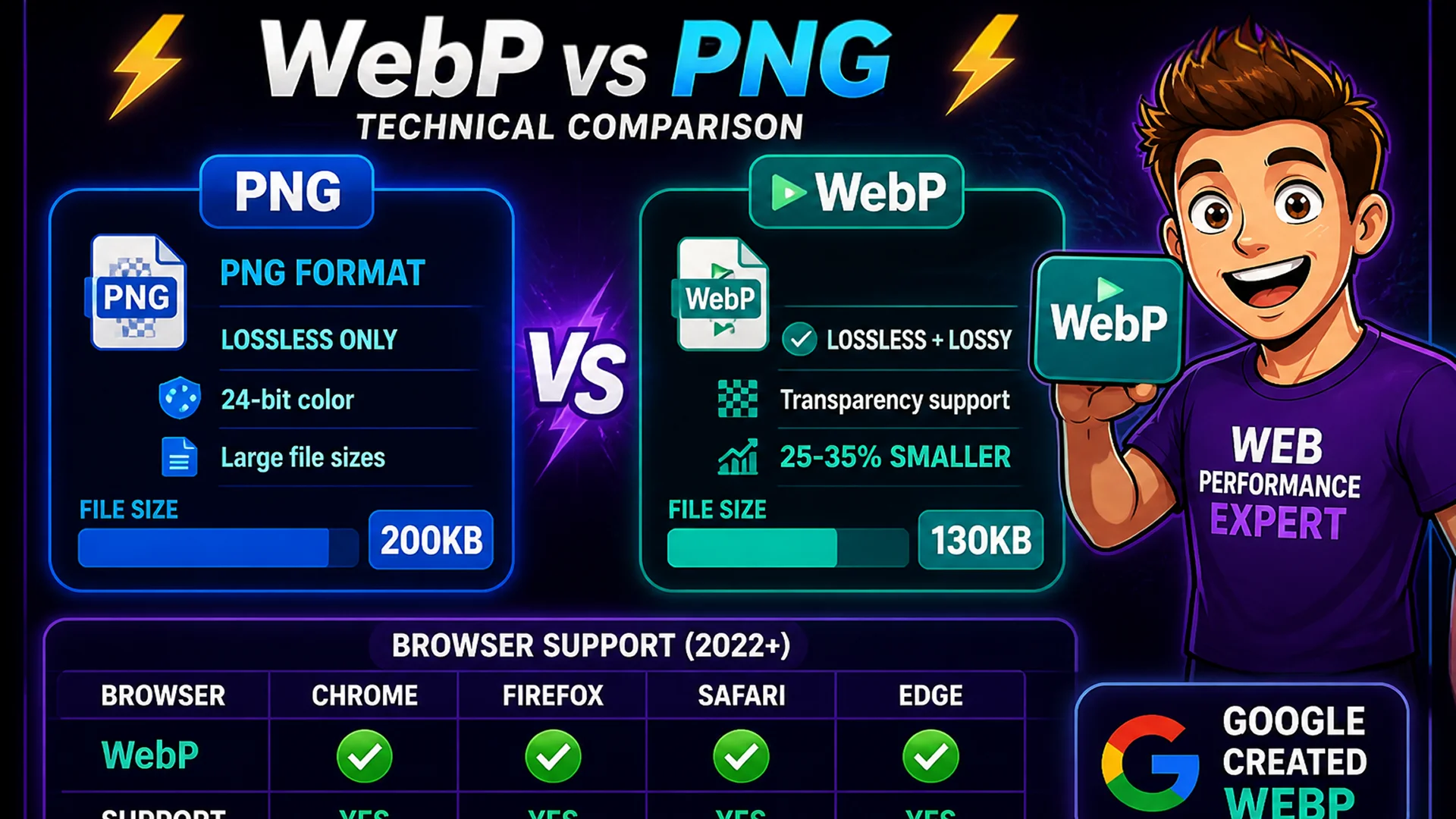
WebP uses both lossy and lossless compression algorithms derived from the VP8 video codec. For lossless compression (the fair comparison with PNG), WebP achieves 26% smaller files on average than PNG while producing identical pixel output. For lossy compression (accepting minor quality reduction for much smaller files), WebP achieves 25–35% smaller files than JPEG at equivalent visual quality.
WebP also supports transparency (alpha channel), which PNG is known for — making WebP a genuine successor to PNG for web use rather than just a photography format. Browser support is excellent: Chrome 23+, Firefox 65+, Safari 14+, Edge 18+, and all major mobile browsers. If you are still serving PNG for web graphics and illustrations, converting to WebP is one of the most impactful single optimizations you can apply.
How to Convert PNG to WebP on Toolsnests
Open the PNG to WebP Converter — no login, no installation.
Step 1: Drag and drop your PNG files onto the upload area — multiple files at once, or an entire folder. Step 2: Set the quality level (1–100; 80 is the recommended default for web use). Step 3: Preview the original and converted file sizes for each image. Step 4: Click Convert All. Step 5: Download all converted WebP files as a single ZIP, preserving original filenames with the .webp extension.
Batch Conversion for Entire Image Libraries
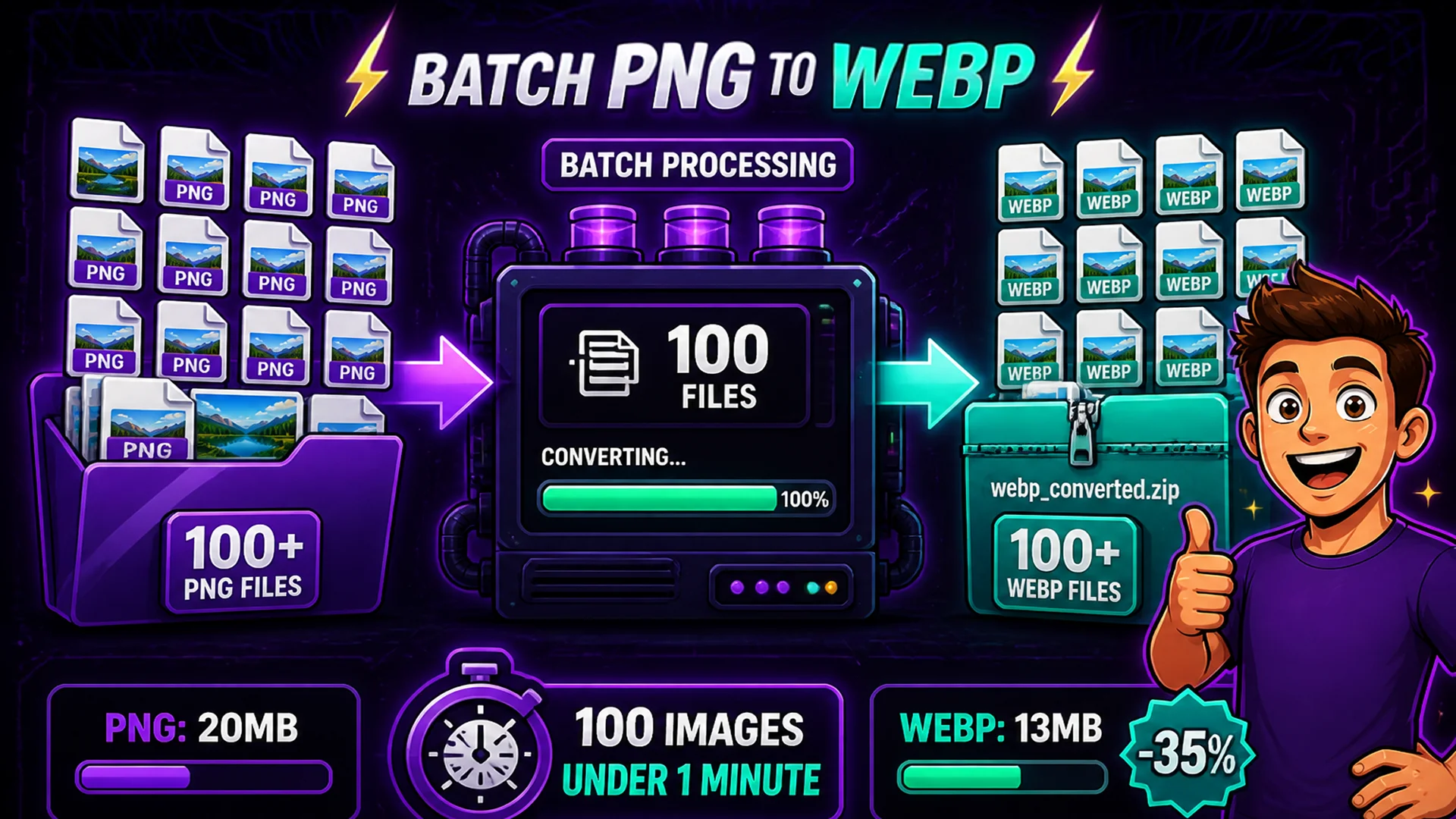
The Toolsnests PNG to WebP Converter supports true batch processing: drop an entire folder of PNG files, set quality once, and convert everything simultaneously. For websites with dozens or hundreds of images, this batch workflow makes the conversion practical — a 100-image library converts in under a minute, with a single ZIP download containing all the converted files.
The tool also accepts ZIP archives containing PNG images — drop in the ZIP, get back a ZIP of WebP files. This is particularly efficient when PNG files are already organized in a compressed archive from a design handoff or asset delivery.
Technical Details: How the Conversion Works
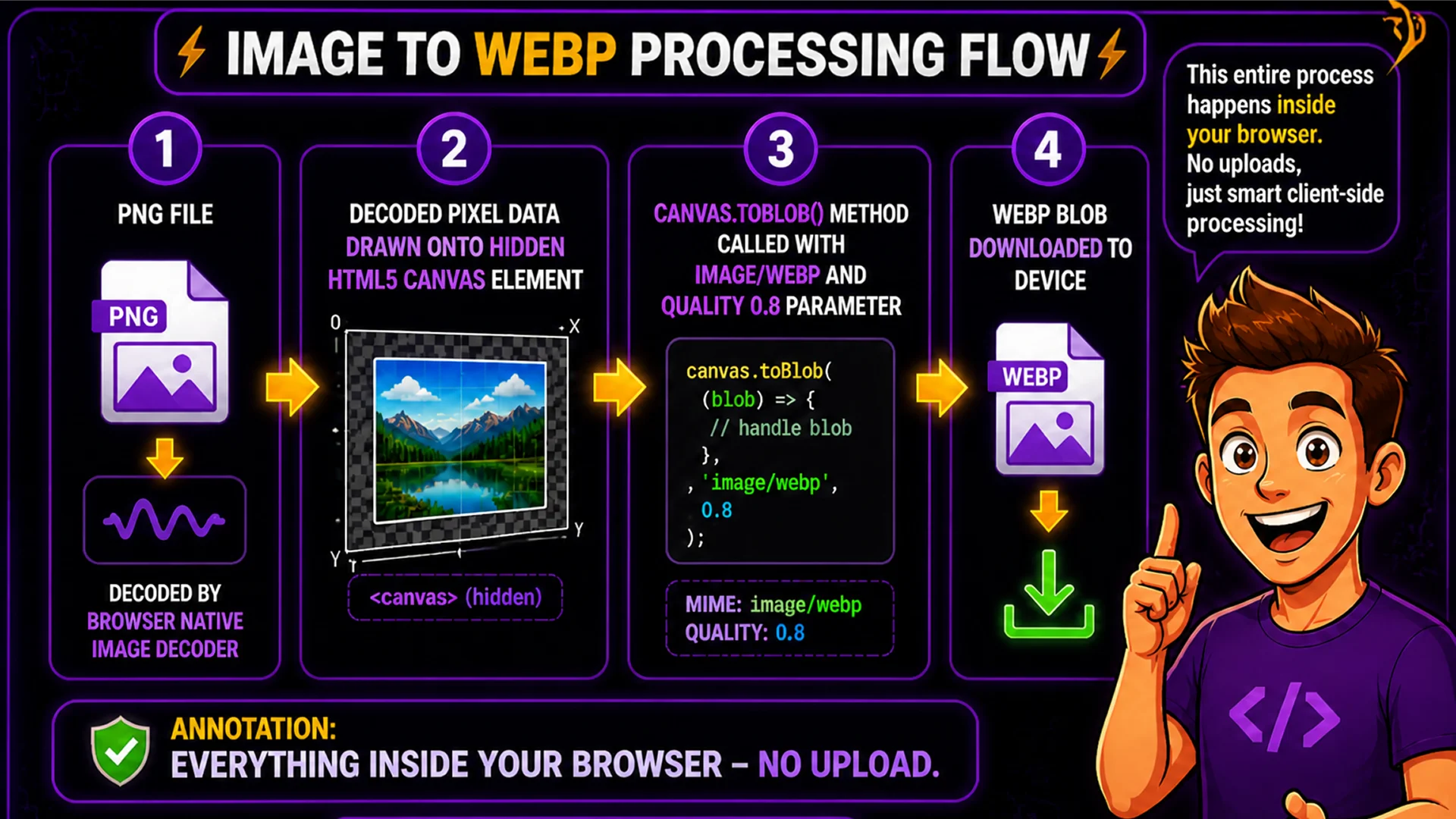
The PNG to WebP conversion uses the HTML5 Canvas API and the browser's built-in WebP encoding support. The process: decode the PNG file using the browser's native image decoder, draw it to a hidden Canvas element at original dimensions, export the Canvas content as WebP using the canvas.toBlob() method with the 'image/webp' MIME type and the specified quality value.
The quality parameter controls the lossy compression level for the WebP output. Quality 100 produces lossless WebP (identical pixel output to the source PNG, maximum compression). Quality 80 produces visually lossless output for most images with 30–50% size reduction. All processing is local — no PNG data leaves your browser.
Related Image Tools
Image Compressor — compress WebP, JPG, and PNG files further after conversion. Image Resizer — resize images before converting for maximum size reduction. Image Converter — convert between JPG, PNG, WebP, GIF, and other formats. WebP to JPG Converter — convert WebP back to JPG for maximum compatibility when needed.
Final Thoughts
Converting PNG images to WebP is one of the fastest and highest-impact web performance optimizations available. The file size savings are significant, the browser support is comprehensive, and the visual quality is indistinguishable from the original at the right quality setting.
Open the PNG to WebP Converter and convert your image library today — your Core Web Vitals score will thank you.