Privacy and Security: Why Client-Side Processing Matters
Understanding the privacy advantages of tools that run entirely in your browser versus server-based alternatives.
The Hidden Privacy Cost of Free Online Tools
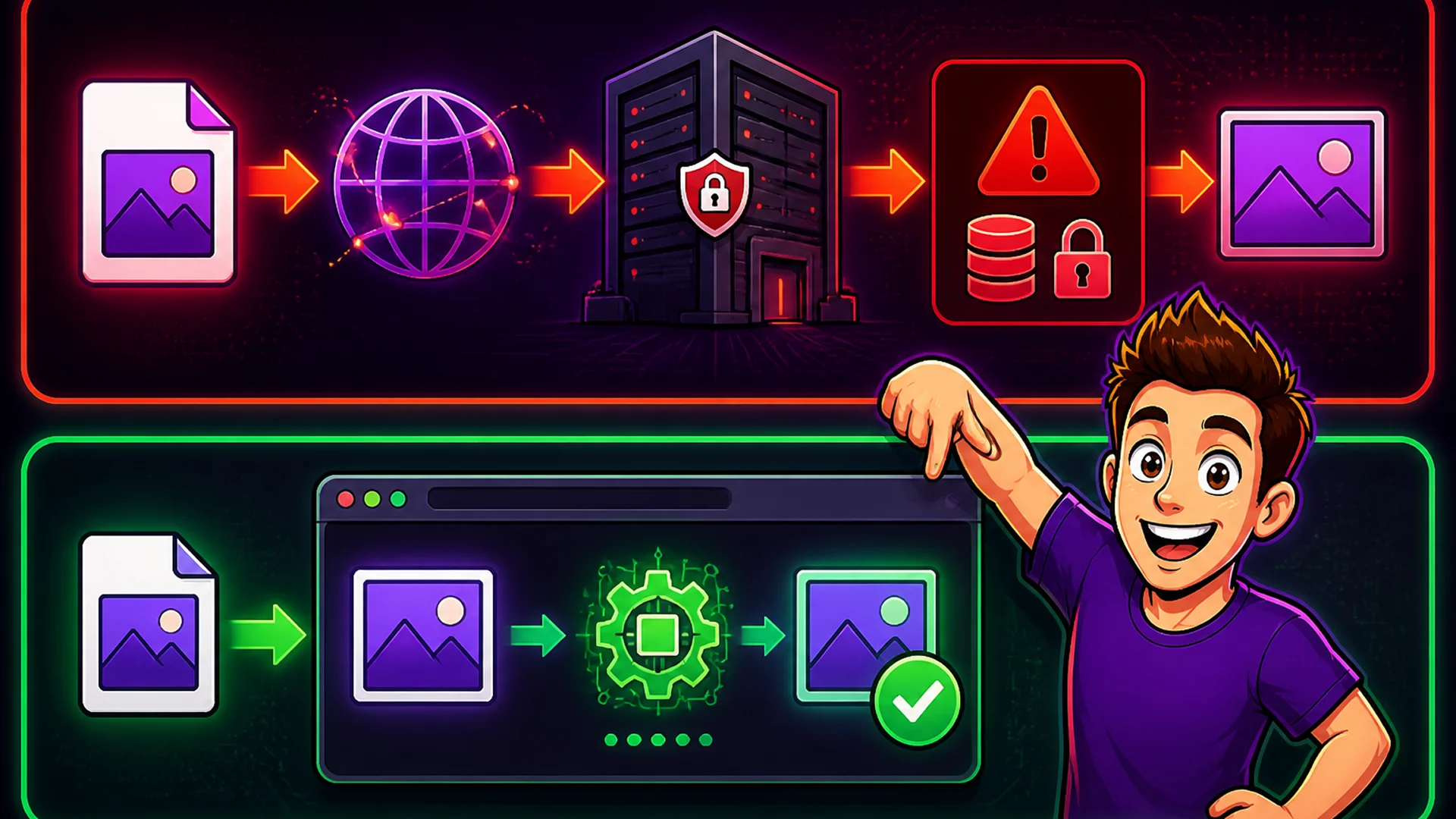
When you upload a file to a free online tool — an image compressor, a PDF converter, a document formatter — your file takes a journey you have no visibility into. It leaves your device, travels over the internet, arrives at a server owned by a company you may know little about, gets processed, and then... what? The privacy policy says files are deleted after 24 hours. Or 7 days. Or after processing. You are trusting a claim you cannot verify, about infrastructure you cannot inspect.
The risks are real: server breaches that expose stored files, data retention longer than advertised, third-party analytics SDKs that capture upload metadata, and cloud sub-processors operating under different legal jurisdictions. For personal files, this is a manageable concern. For business files — client contracts, unreleased product designs, employee records — it is a genuine compliance and liability risk.

How Client-Side Processing Eliminates These Risks
Client-side processing means the tool runs entirely in your browser. The JavaScript code that processes your file downloads to your device, executes on your device's CPU and memory, and produces output that saves back to your device. At no point does any data leave your machine.
This is not a policy commitment — it is an architectural guarantee. A browser-based tool that processes files locally cannot expose them to a remote server, because there is no server involved in the processing. The privacy protection is enforced by how the software works, not by what the company promises.
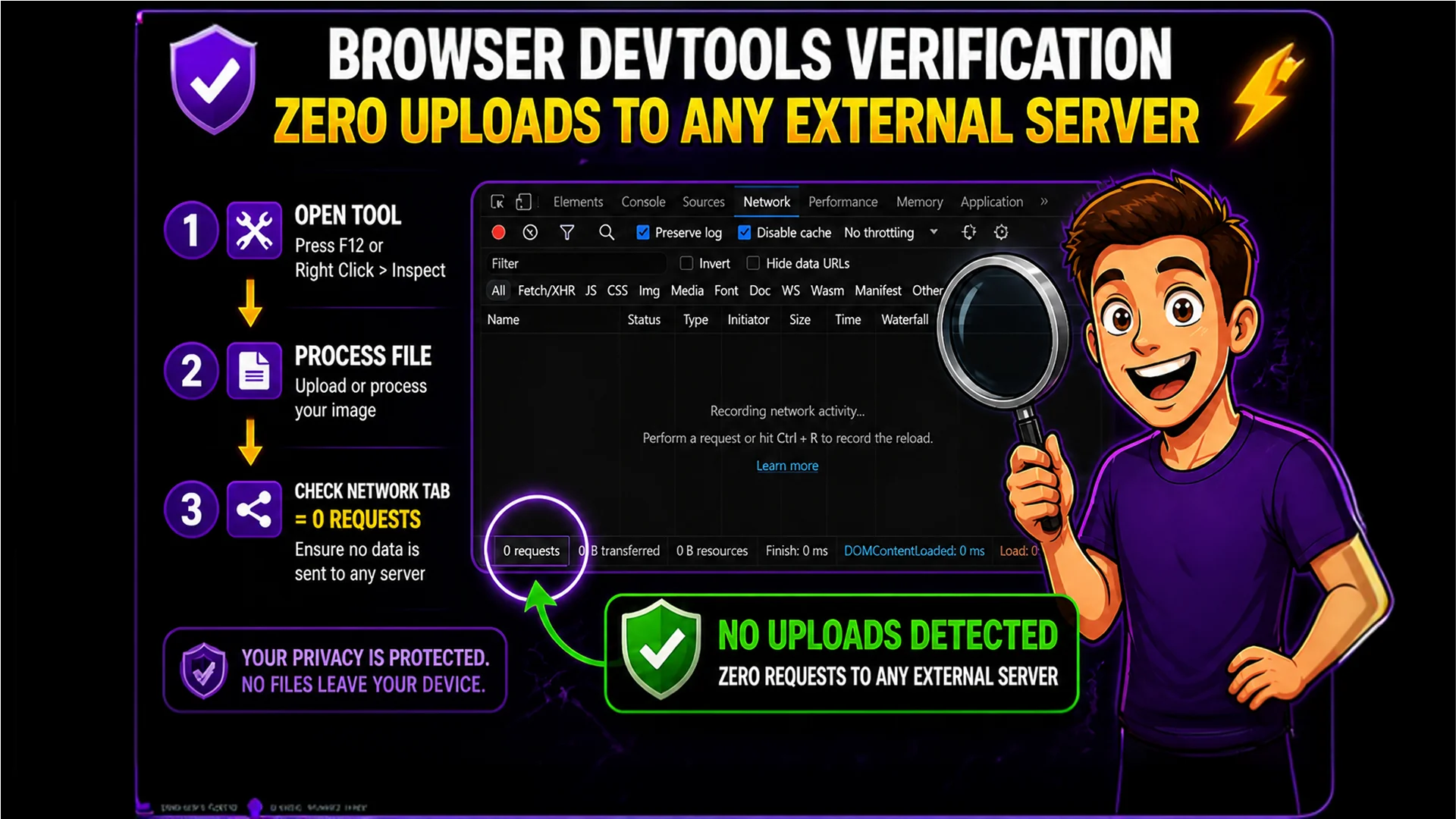
You can verify this yourself. Open the Image Compressor or the PDF Merge tool, process a file, and watch the browser's Network tab — you will see zero outbound requests to external servers during processing.
How to Verify It: The Network Tab Walkthrough
You do not need to take our word for it. Here is how to verify that Toolsnests processes files locally. In Chrome, Firefox, or Edge, open Developer Tools (press F12 or right-click anywhere and choose Inspect). Click the Network tab. Make sure recording is enabled. Now open any Toolsnests tool and process a file.
Watch the Network tab during processing. You will see the initial page load requests (HTML, CSS, JavaScript files), but during the actual file processing you will see nothing — no POST requests, no uploads, no data sent to any server. Compare this to a server-based tool: those show a large POST request containing your file data being transmitted to the tool's server. With Toolsnests, that POST request never happens.
GDPR, CCPA, and Browser-Based Processing
Under GDPR, personal data processed entirely on a user's device without being transmitted to a server is generally not subject to the same data controller obligations as server-side processing. When no personal data leaves the device, there is nothing to store, retain, breach, or manage subject-rights requests around.
Similarly, under CCPA, browser-based processing that keeps data on the user's device does not create the same data collection obligations as server-based alternatives. For businesses handling personal data in documents — names, addresses, financial information, health data — browser-based tools can significantly reduce compliance overhead compared to equivalent server-based services.

The Web APIs That Power Private Processing
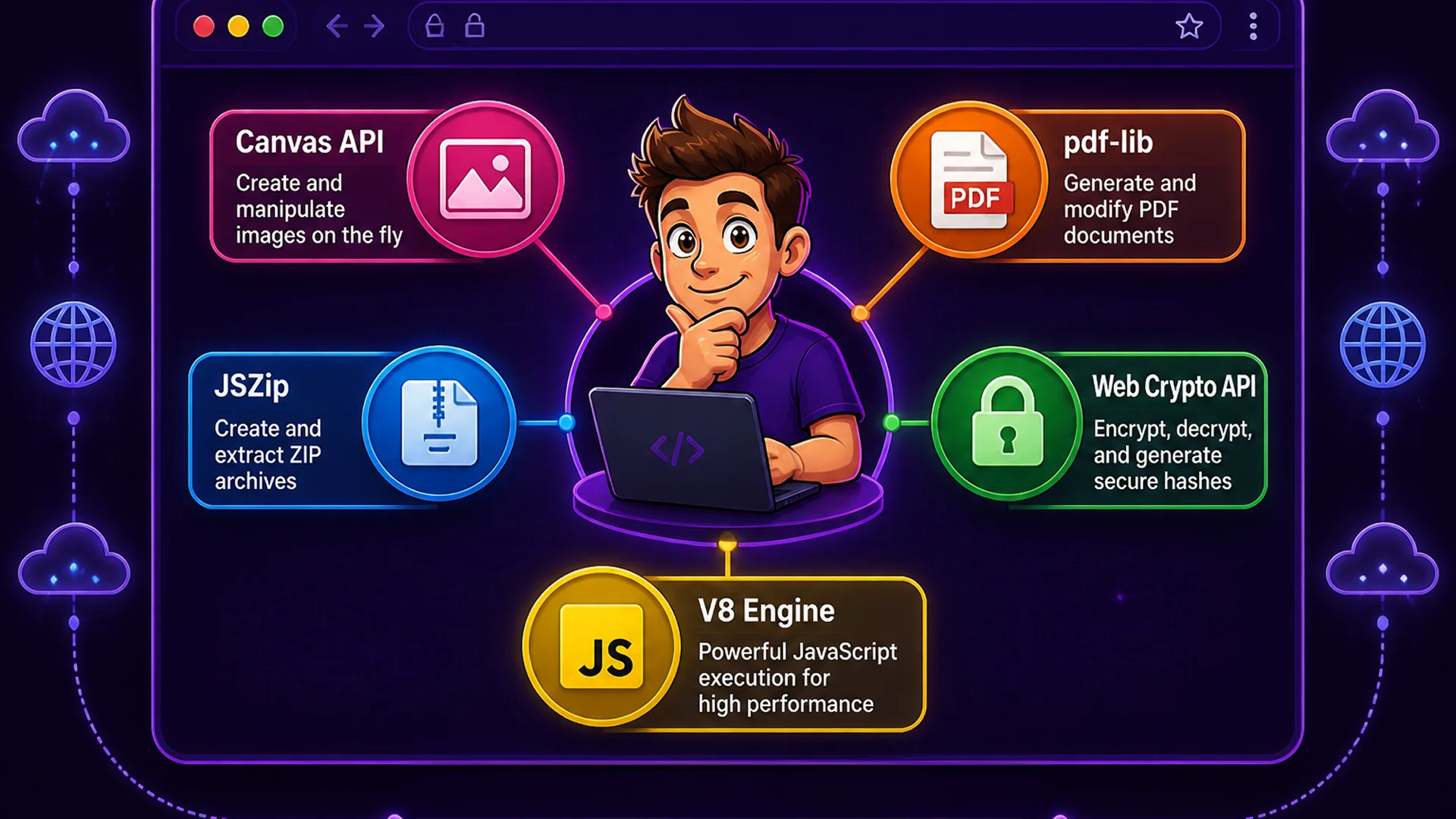
Modern browsers expose APIs that enable complex file processing without server involvement. Image processing in the Image Compressor and Image Resizer uses the hardware-accelerated HTML5 Canvas API. PDF operations use pdf-lib, a pure JavaScript PDF library implementing the full PDF specification without native code. The File Checksum Generator uses the Web Crypto API — a native browser cryptographic implementation running at speeds comparable to command-line tools. ZIP extraction uses JSZip; code formatting and text processing run on the browser's optimized V8 JavaScript engine. None of these require server infrastructure.
What This Means for Your Most Sensitive Files
Browser-based processing is ideal precisely for the cases where privacy matters most. Confidential business documents, financial reports, strategic plans, client data — none of it ever leaves your device when processed by Toolsnests. Personal health records, identity documents, tax returns — processed locally, with zero external exposure.
Even when using batch processing to handle dozens or hundreds of files simultaneously, the privacy guarantee scales with the volume. Whether you compress 1 image or 100, merge 5 PDFs or 50, or generate checksums for 10 files or 1,000 — every single file is processed locally. The batch size does not change the privacy architecture.

Tools That Demonstrate Privacy in Action
Image Compressor — compress images locally, zero server uploads. PDF Merge — combine sensitive PDFs without uploading to any server. File Checksum Generator — verify file integrity using the browser's native crypto API. JSON Formatter — format API responses and config files without sending data anywhere. Base64 Encoder — encode credentials and binary data entirely locally.
Final Thoughts
Privacy in online tools is not just about trust — it is about architecture. A tool that processes your files locally cannot expose them to a server, by definition. The privacy protection is structural, not a promise that depends on a company's good intentions or the absence of security breaches.
The next time you are about to upload a sensitive file to an online tool, ask whether you can verify what happens to it after processing. With Toolsnests, you can verify it in 30 seconds using your browser's Network tab — and you will see nothing leave your device.