Free QR Code Generator — No Sign-Up, No Limits
Generate QR codes for URLs, text, email, phone, and more. Free, instant, and no account required. Download as PNG or SVG.
QR Codes Are Everywhere — Here Is How to Generate Them in Seconds
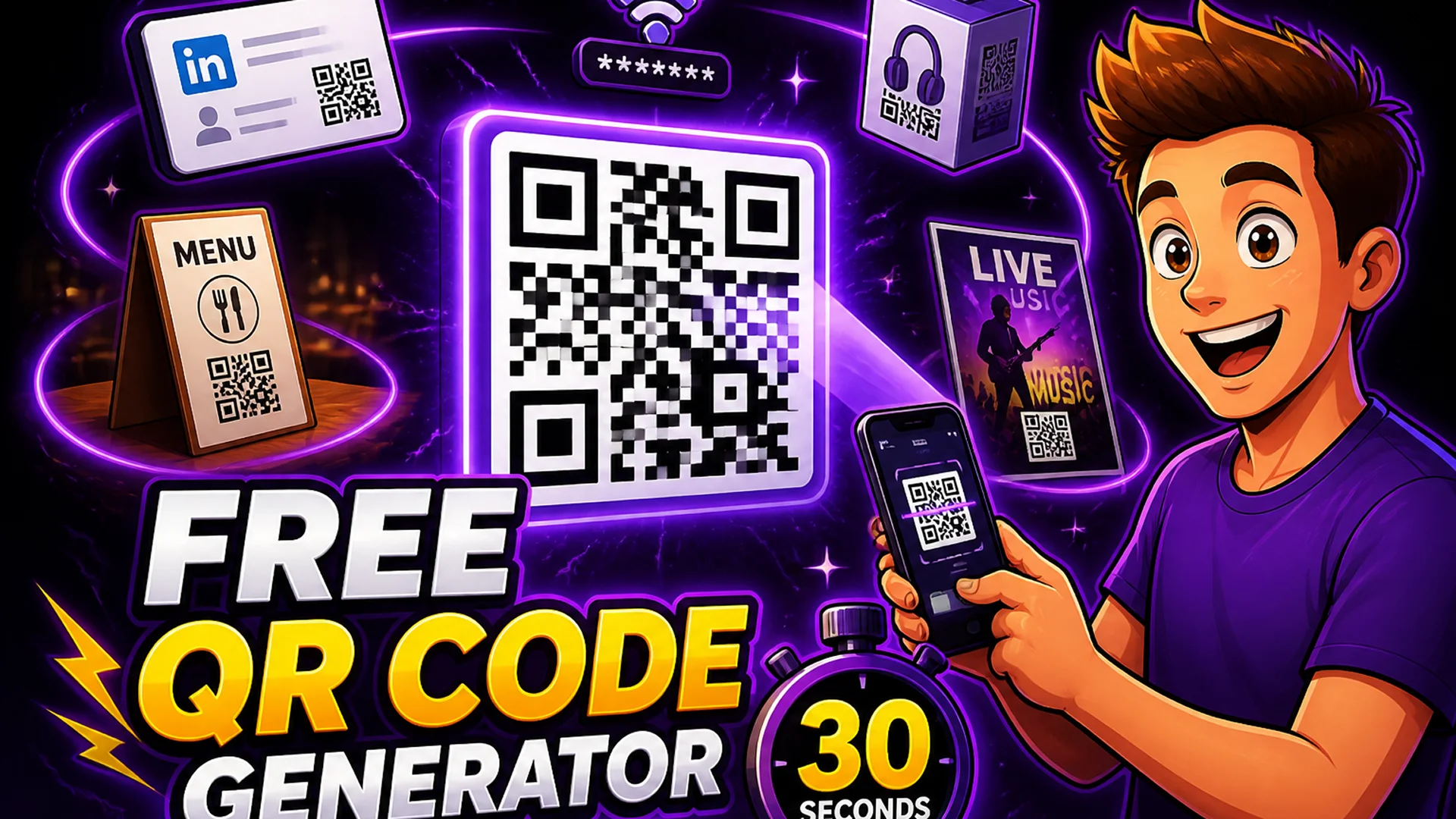
QR codes have become the universal bridge between the physical and digital worlds. Business cards link to LinkedIn profiles. Restaurant menus replace printed cards. Product packaging links to instruction videos. Event signage drives app downloads. Wi-Fi credentials share without typing. In every case, someone needs to generate a QR code quickly — and most tools that do this either require an account, charge a fee, add a watermark, or impose scan limits.
The Toolsnests QR Code Generator creates high-quality, scannable QR codes for any content type — URLs, plain text, email addresses, phone numbers, SMS messages — instantly, with no account required and no watermarks. Generated codes are yours to use however you need.
What Is a QR Code and When Do You Need One?
A QR code (Quick Response code) is a two-dimensional barcode that encodes data — typically a URL, but potentially any string of text — in a pattern of black and white squares. Smartphone cameras decode QR codes instantly without needing a dedicated app on any modern iOS or Android device.
Common use cases: linking physical marketing materials to landing pages, sharing a website URL on printed packaging, providing Wi-Fi credentials at a venue without writing the password on a whiteboard, adding a contact card to a business card that recipients can scan into their phone, directing retail customers to product reviews, or including a payment link on an invoice.
How to Generate a QR Code on Toolsnests
Open the QR Code Generator — no login, no account, no installation.
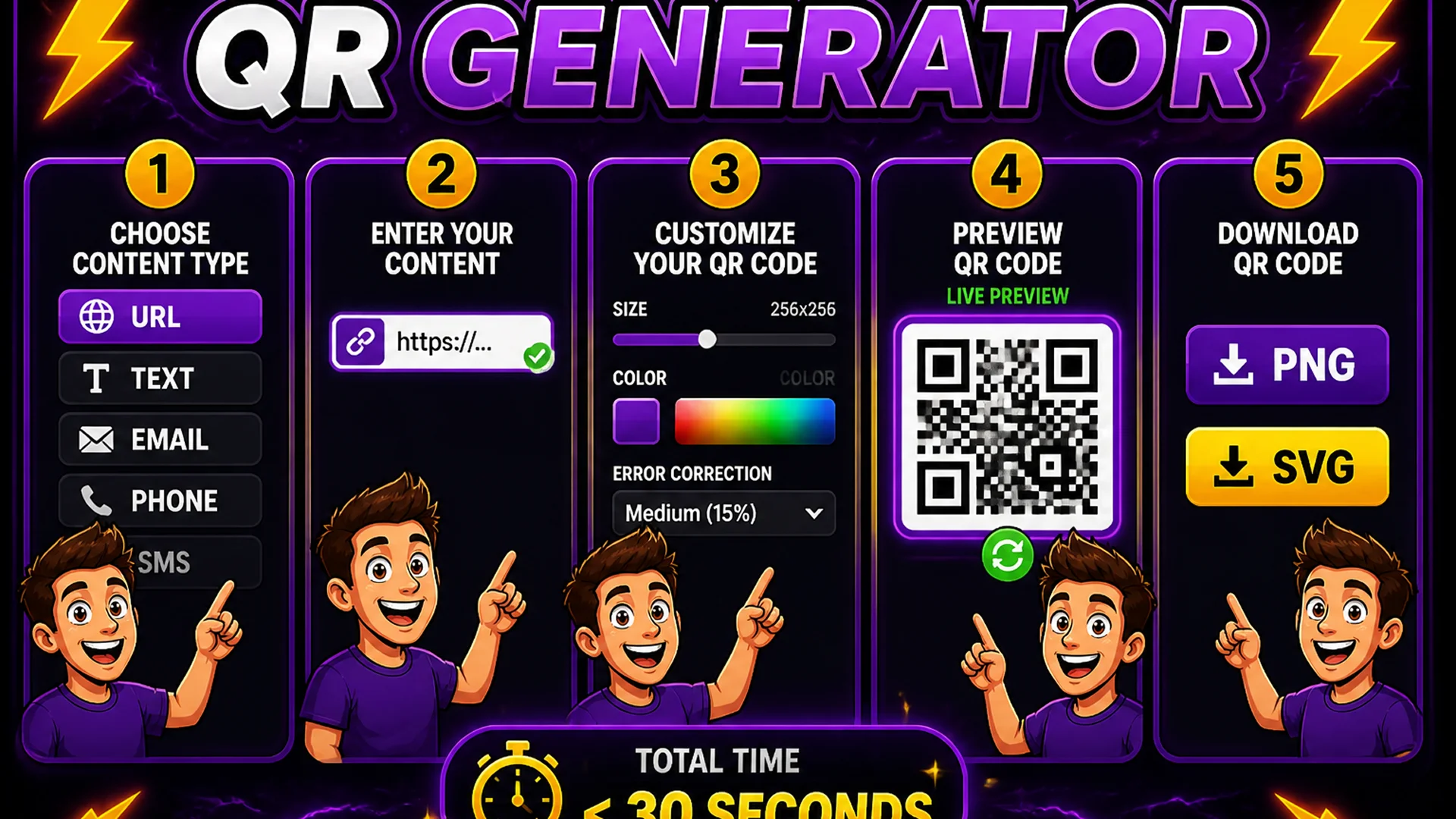
Step 1: Choose the content type — URL, plain text, email, phone, or SMS. Step 2: Enter your content in the input field. Step 3: Customize the QR code — adjust the size (pixels), choose foreground and background colors, and set the error correction level (Low, Medium, Quartile, High). Step 4: Preview the QR code in real time — it updates as you type. Step 5: Download the code as a high-resolution PNG for digital use or as an SVG for print-ready scaling to any size.
The entire process from opening the tool to downloading your QR code takes under 30 seconds.
Error Correction — Why It Matters for Print Use
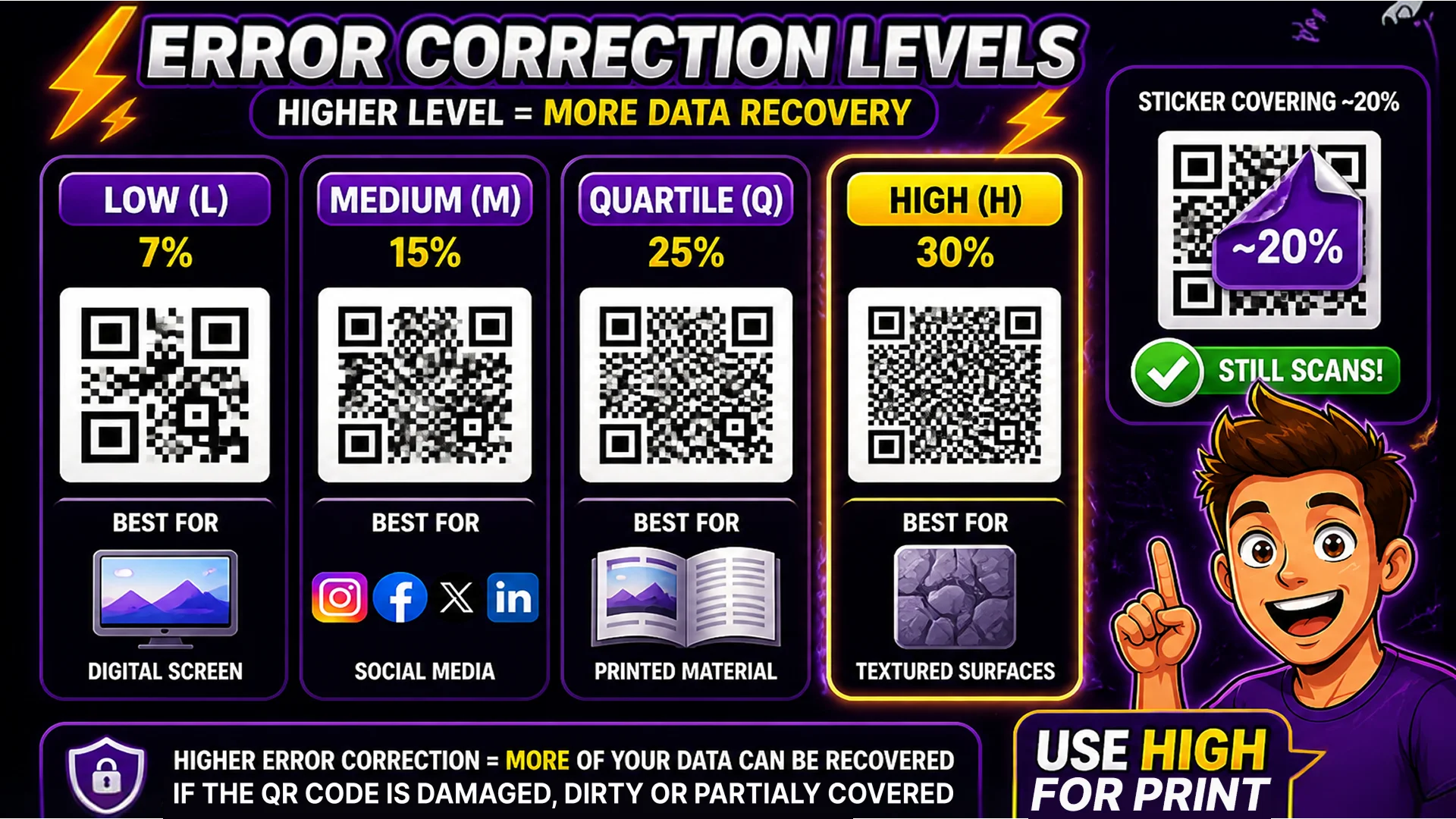
QR codes include error correction data that allows them to remain scannable even when partially damaged, covered, or obscured. The error correction level determines how much of the code can be corrupted while still decoding correctly: Low (7% damage tolerance), Medium (15%), Quartile (25%), and High (30%).
For digital use — website embeds, social media, email — Low or Medium error correction is sufficient. For print use — especially on textured materials, curved surfaces, or locations where the code might be partially covered by a sticker or wear — use Quartile or High error correction. Higher error correction produces a denser, slightly larger QR code, but dramatically increases reliability on physical materials.
Privacy and No-Tracking Guarantee
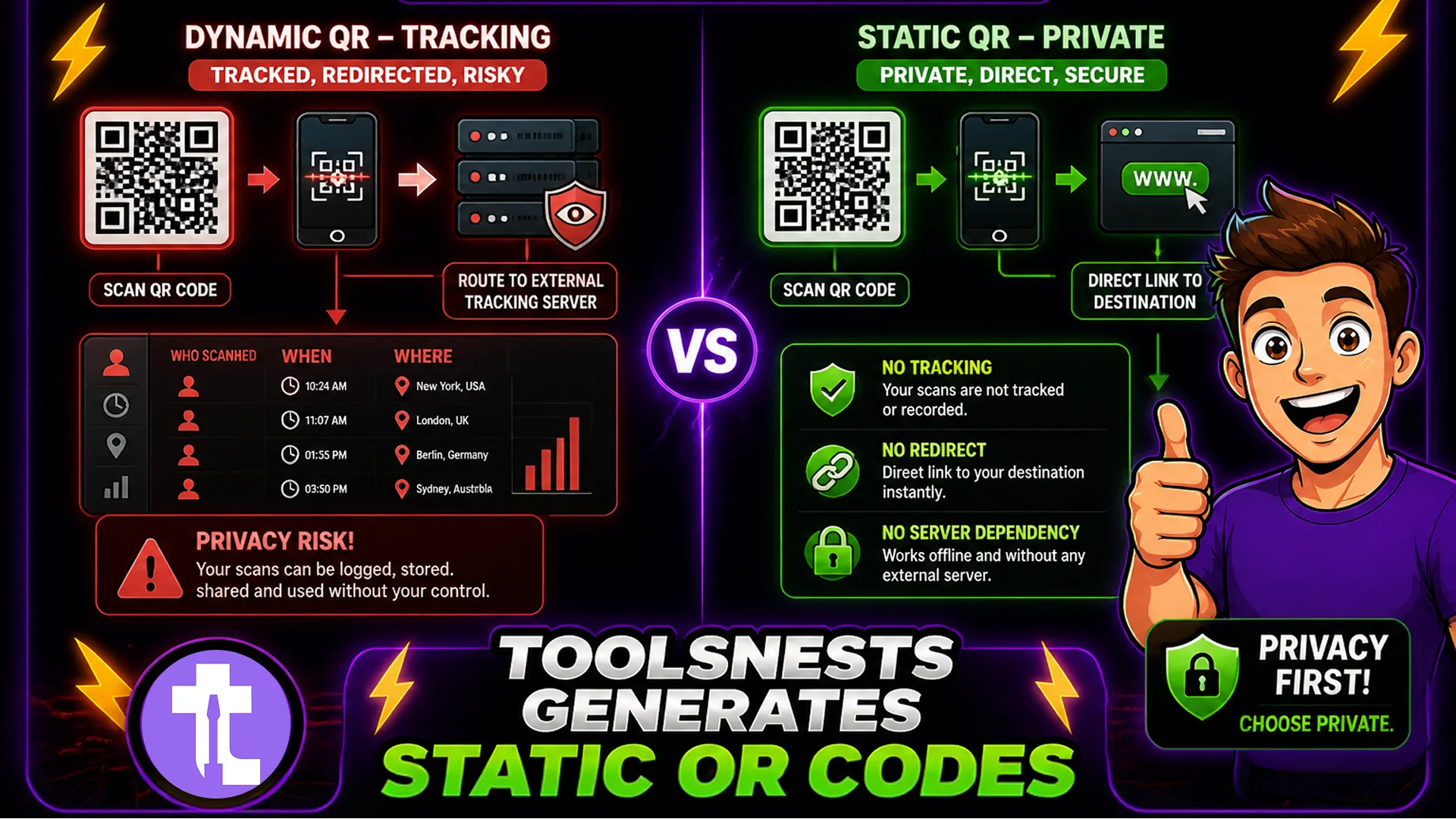
Many QR code generator services use dynamic QR codes that route through their servers — meaning they track every scan, know who scanned it, when, from where, and on what device. This tracking generates revenue for the service but creates a privacy concern for the people scanning your codes.
The Toolsnests QR Code Generator creates static QR codes that encode your destination URL directly. There is no redirect through a tracking server, no scan analytics collected by any third party, and no dependency on the generator's servers staying online. Your QR code links directly to your content — permanently.
Related Generator Tools
Password Generator — generate strong, random passwords for any security requirement. Meta Tag Generator — create SEO title tags and social sharing metadata. URL Encoder — encode URLs with special characters before embedding in QR codes.
Final Thoughts
QR codes are now a fundamental communication tool across print, packaging, signage, and digital media. Generating one should take 30 seconds, not require an account, and never add a watermark or redirect through a tracking server.
Open the QR Code Generator and have your code ready to download before you finish reading this sentence.