Text Utilities That Every Content Writer Should Know
Clean up text, remove duplicates, count characters, compare versions, and more with these essential text manipulation tools.
The Content Writer's Hidden Time Sink
Content writing is 20% inspiration and 80% preparation, cleaning, and reformatting. You research and draft an article, then you need to clean up text pasted from a Google Doc, check that your headline is under 60 characters for SEO, find and replace a product name that changed at the last minute, remove duplicate entries from a list imported from a spreadsheet, and compare the current draft to the previous version. Every one of these tasks is mechanical — it requires no creativity or judgment. But they are time-consuming when done manually, especially across thousands of lines of text.
Toolsnests offers a suite of text utilities specifically designed to handle these tasks instantly. Here are the essential tools and the specific scenarios where each one saves significant time.
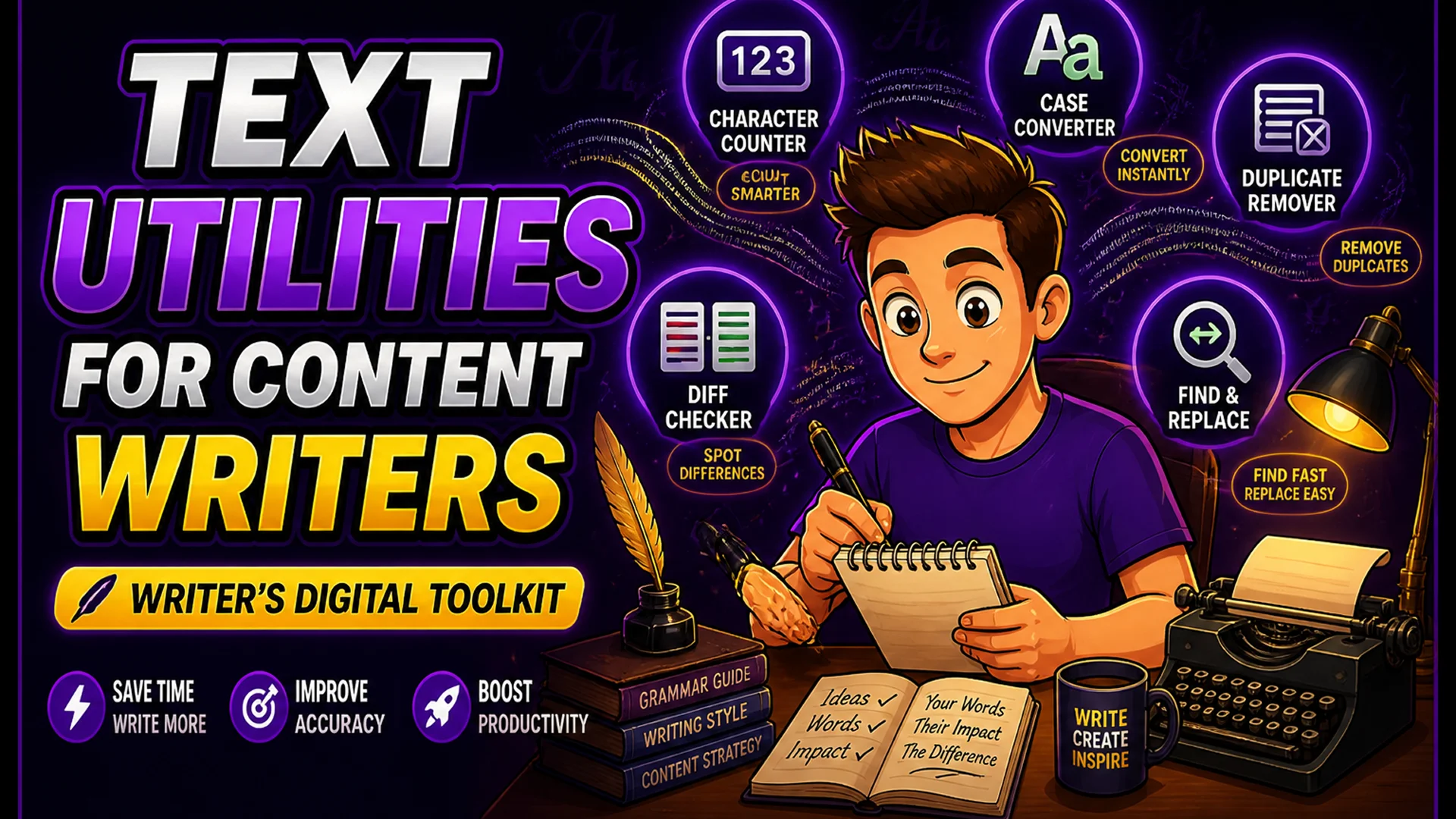
Character Counter — Stay Within Platform Limits
The Character Counter gives you real-time counts for characters (with and without spaces), words, sentences, paragraphs, and estimated reading time — all updating instantly as you type or paste.
This is essential for platform-specific content: Twitter posts (280 characters), meta descriptions (under 160 characters), YouTube titles (under 100 characters for full display in search), Google Ads headlines (30 characters), and LinkedIn post previews (140 characters before 'see more' truncation). The reading time estimate is valuable for blog posts — a 1,200-word article is approximately 5 minutes of reading time, helping you set accurate expectations in your post metadata.

Text Case Converter — Format Text Without Retyping
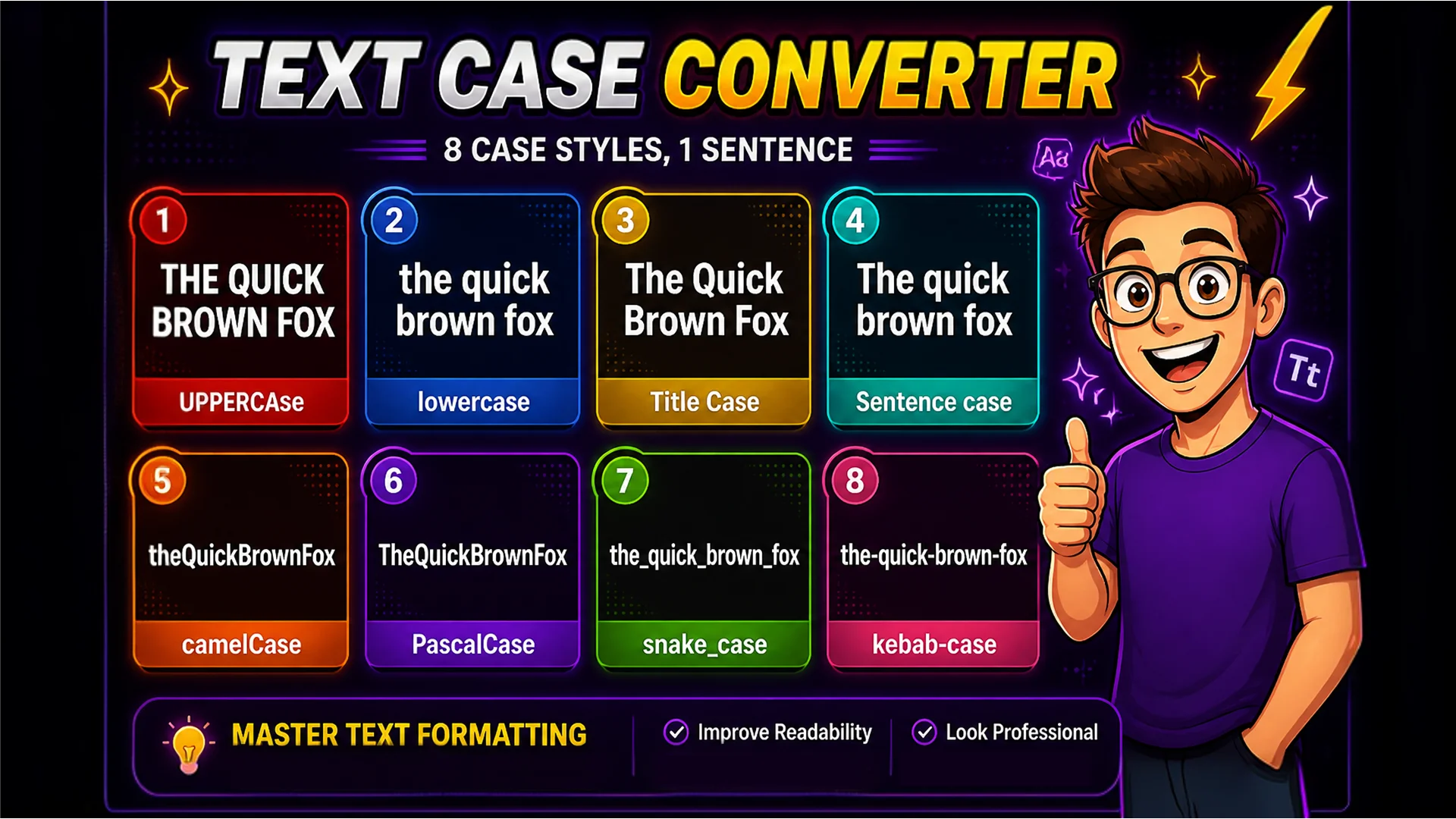
The Text Case Converter supports 8 case formats: UPPERCASE, lowercase, Title Case, Sentence case, camelCase, PascalCase, snake_case, and kebab-case. Paste any block of text and convert it to any format with one click.
Content writers use this constantly: Title Case for blog post headlines, Sentence case for meta descriptions, standardizing ALL CAPS text from legacy systems, and preparing variable name suggestions for technical documentation. The converter handles edge cases correctly — proper nouns in Title Case, first-word capitalization in Sentence case, and contractions.
Remove Duplicate Lines — Clean Up Lists in Seconds
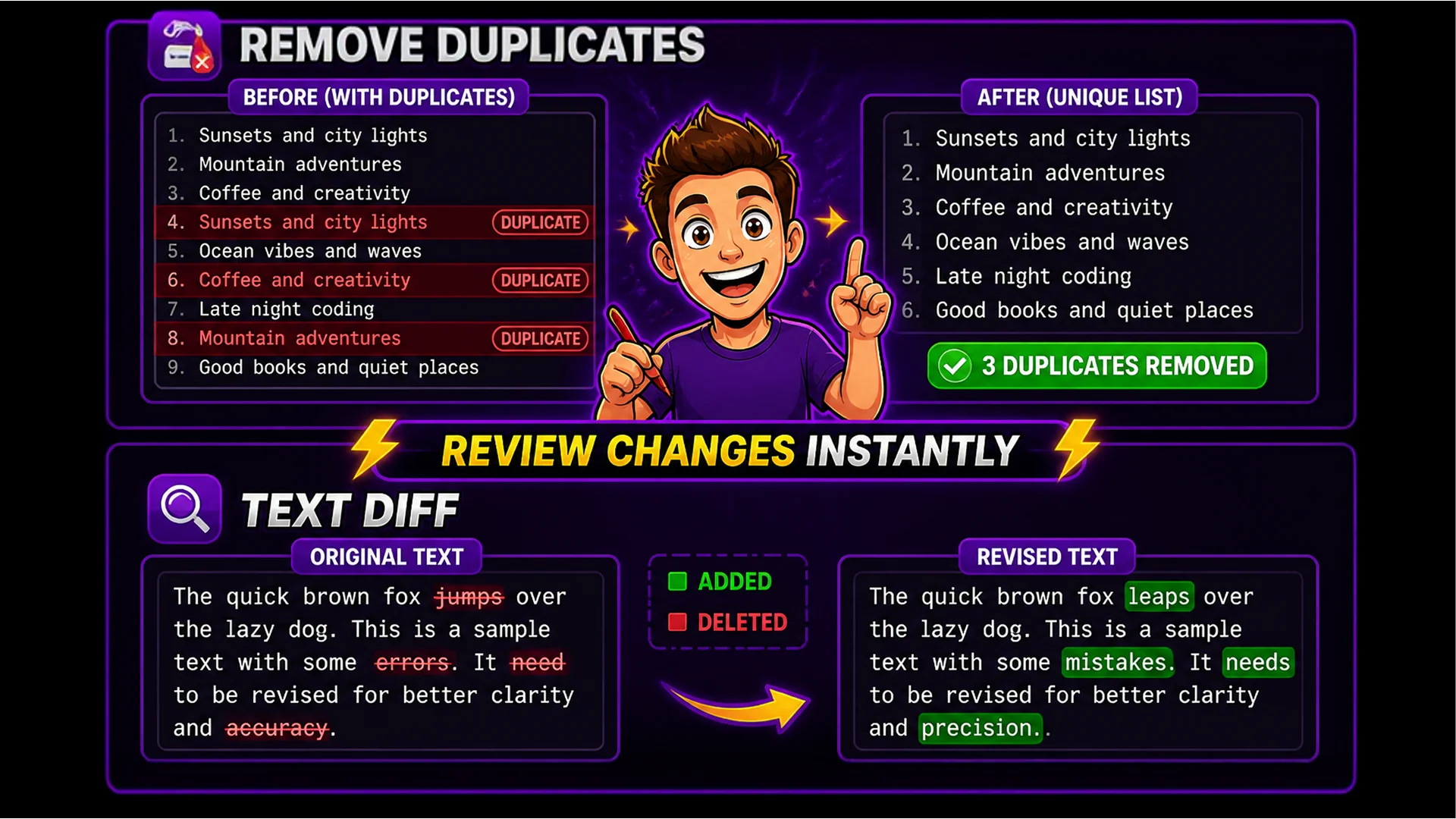
The Remove Duplicate Lines tool strips duplicates from any text while preserving the original order. It supports case-insensitive matching and whitespace trimming before comparison.
Indispensable for lists imported from spreadsheets, keyword lists from SEO tools, subscriber email lists, or log files. A keyword research export from Ahrefs or SEMrush often contains duplicates across different report types. Paste the combined list, remove duplicates, get a clean unique set — thousands of lines processed in under a second. Scenario: you are building a content brief from three different competitor sources and need to find the unique topics. What would take 20 minutes of manual comparison takes one second.
Text Diff Checker — Compare Document Versions
The Text Diff Checker highlights differences between two text versions side by side: additions in green, deletions in red, unchanged text in neutral. Paste both versions and see every change instantly.
The primary use case: reviewing edits from a client, proofreader, or collaborator. Instead of reading both versions in full, paste them and the diff surfaces every change immediately. You can review a 3,000-word article's complete revision set in under two minutes. Also useful for verifying translations — compare the original and translated text to confirm the structure and paragraph count match, even across languages.
Find and Replace — Bulk Transformations with Regex
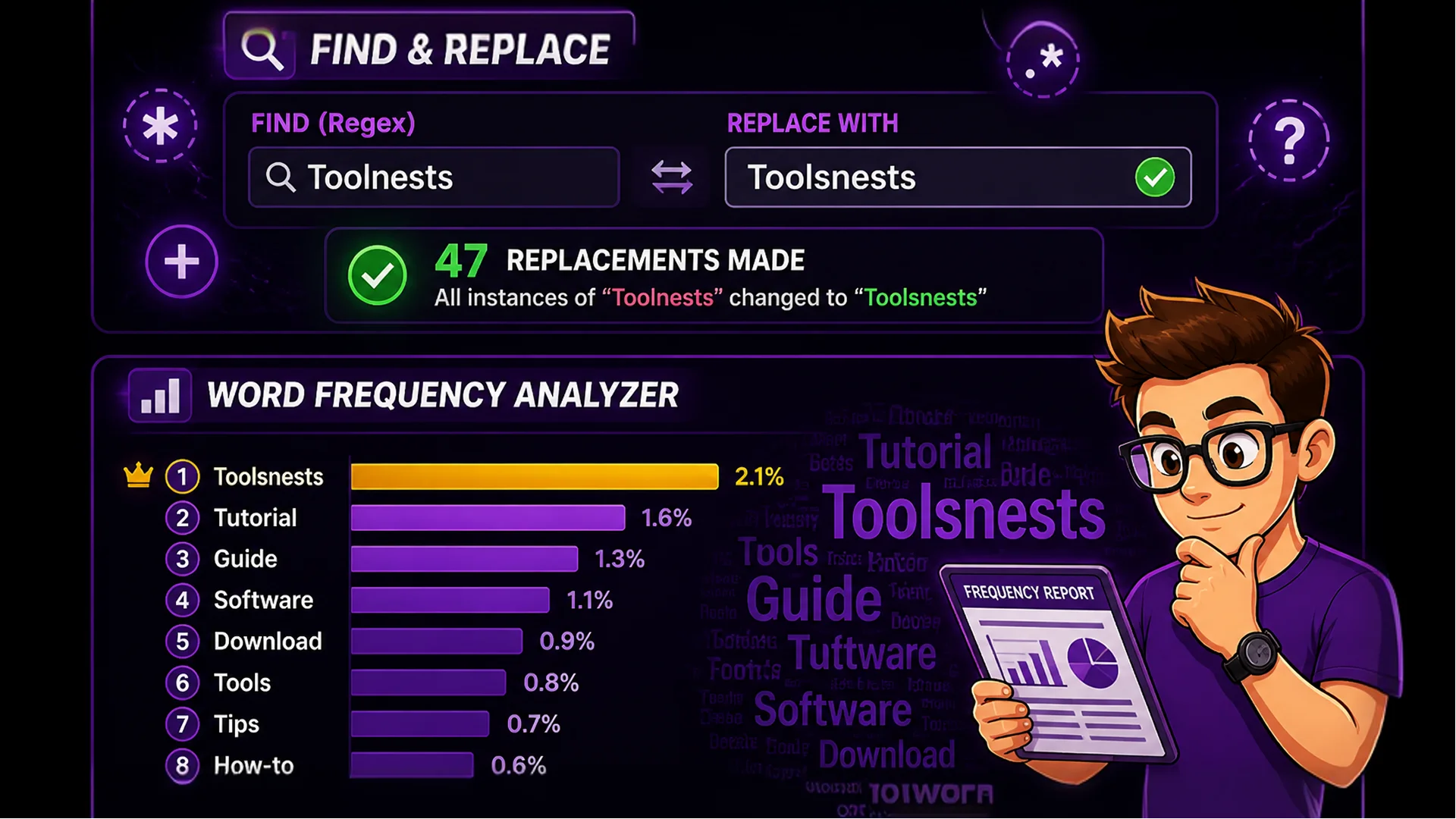
The Find and Replace tool supports both simple string matching and full regular expression patterns, making it powerful enough to handle complex bulk text transformations.
Simple uses: renaming a product throughout an entire article, fixing inconsistent brand name capitalization, replacing smart quotes with straight quotes for code-safe export. Advanced regex uses: remove all HTML tags from a content block, convert date formats (01/15/2026 to 2026-01-15), extract all email addresses from a block of text, or add a prefix to every line in a list. Regular expression support puts the power of a full text editor's bulk find-and-replace into a browser tool with zero setup.
Whitespace Remover and Line Sorter
Text pasted from PDFs, websites, and presentation software arrives with extra spaces, double line breaks, and invisible Unicode whitespace that causes formatting problems. The Whitespace Remover strips all forms of extra whitespace in one pass: leading/trailing spaces, consecutive spaces, double line breaks, and invisible Unicode characters. The Line Sorter organizes any list alphabetically, numerically, or by line length in either direction.
Whitespace Remover is the first tool to reach for when pasting text from a PDF or Google Doc that arrives with strange formatting. Line Sorter is essential for organizing keyword lists before importing to a spreadsheet, sorting bibliography references alphabetically, or ordering FAQ items by length for a more consistent reading experience.
Word Frequency Analyzer — Understand What Your Content Communicates
The Word Frequency Analyzer counts every word in your text and displays a ranked frequency list. Paste any article and see at a glance whether your primary keyword appears enough times, whether you overuse filler words, and whether your actual word usage reflects the intended topic.
It is particularly valuable for content auditing: you might write a 2,000-word article and discover you used a competitor's name 12 times and your own product's name only 4 times. The frequency analyzer surfaces these patterns that are invisible during drafting but obvious once quantified.
Final Thoughts
Content writing is demanding enough without spending time on mechanical text tasks. These utilities handle the repetitive parts of the workflow — cleaning, counting, sorting, comparing, replacing — so you can focus on research, argument, and voice.
Start with the Character Counter the next time you write a meta description or social media post. Getting exact character counts instantly will change how you approach platform-specific copy.