URL Encode and Decode Online — Free & Instant
Percent-encode URLs and query parameters or decode encoded strings back to readable text. Free, instant, works entirely in your browser.
URL Encoding Is More Common Than You Think
URLs have a restricted character set. Only letters, digits, and a handful of special characters (-._~) are allowed in arbitrary positions without encoding. Every other character — spaces, ampersands, equals signs, hash symbols, non-ASCII characters — must be percent-encoded (also called URL encoding or percent encoding) before inclusion in a URL.
URL encoding issues are among the most common causes of API integration bugs, broken redirect flows, and malformed query strings. The symptom is usually a '400 Bad Request' response or a parameter value that arrives at the server with unexpected content. The cause is usually a character that was not encoded correctly — or was double-encoded accidentally.
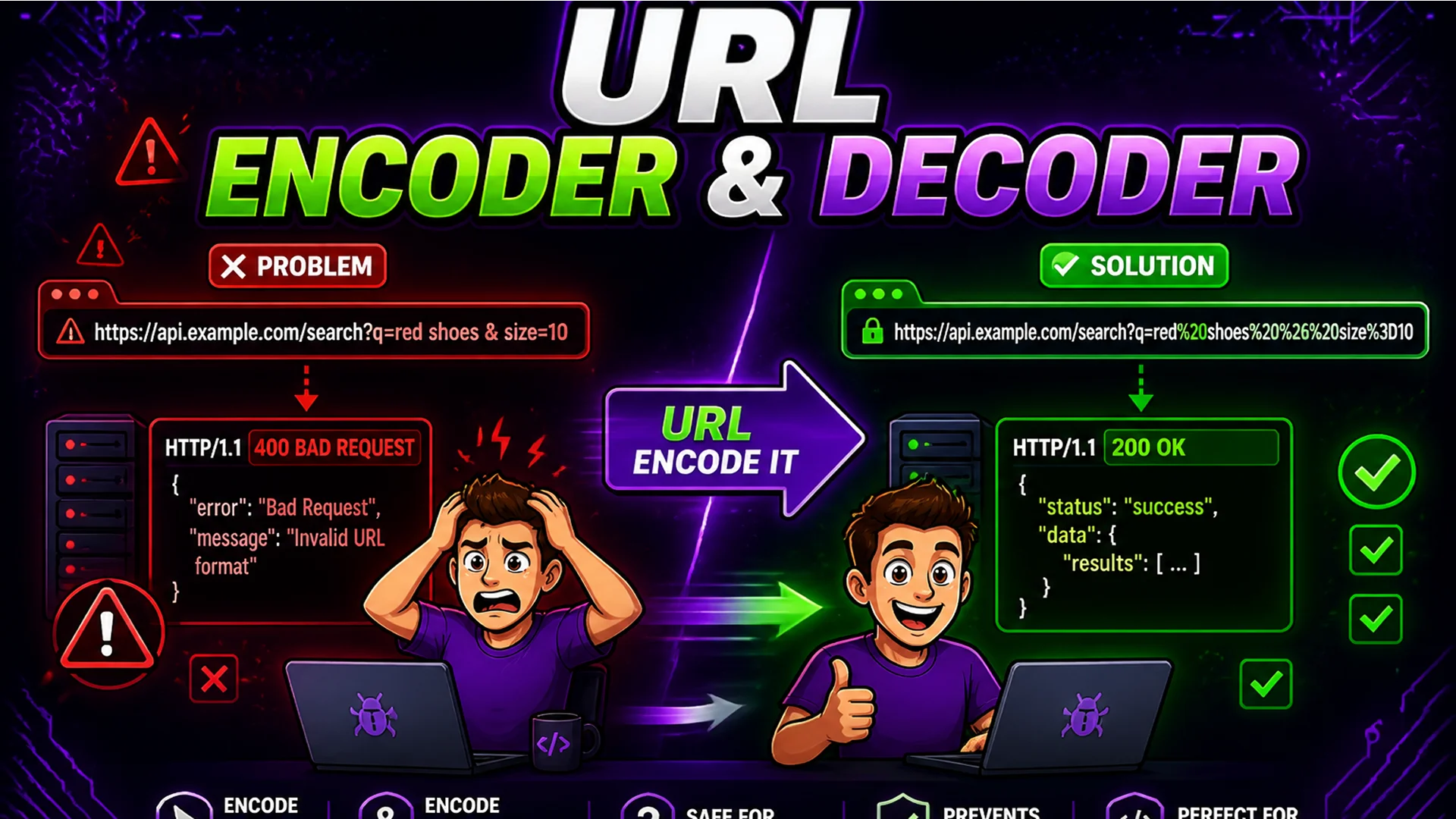
What Is Percent Encoding?
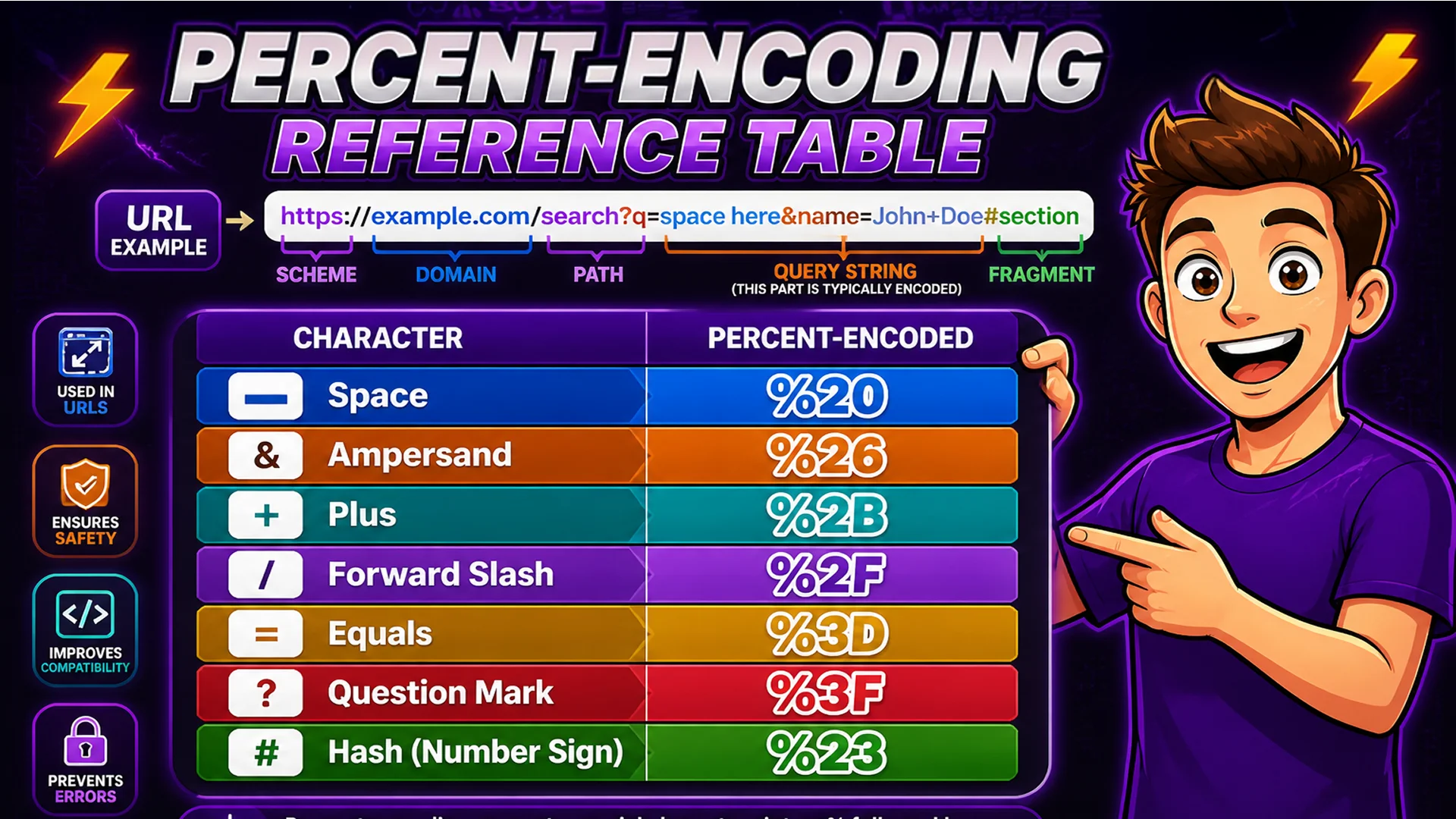
Percent encoding replaces each character that is not URL-safe with a percent sign (%) followed by the two-digit hexadecimal ASCII code for that character. A space becomes %20. An ampersand becomes %26. A plus sign becomes %2B. A forward slash becomes %2F. Non-ASCII characters (like accented letters or emoji) are first converted to their UTF-8 byte sequences, then each byte is percent-encoded.
There are two encoding contexts in a URL: the path (the /path/to/resource section) and the query string (the ?key=value section). They have slightly different rules — some characters that are safe in a path must be encoded in a query parameter value. The Toolsnests URL Encoder handles both contexts correctly.
How to Encode and Decode URLs on Toolsnests
Open the URL Encoder and Decoder — no login, no installation.
To encode: paste your URL or query parameter value, click Encode, copy the percent-encoded output. To decode: paste the encoded string, click Decode, get the human-readable result. The tool correctly handles full URLs (encoding only the components that need encoding) and individual values (fully encoding all special characters for safe embedding as query parameter values).
Developer Scenarios That Require URL Encoding
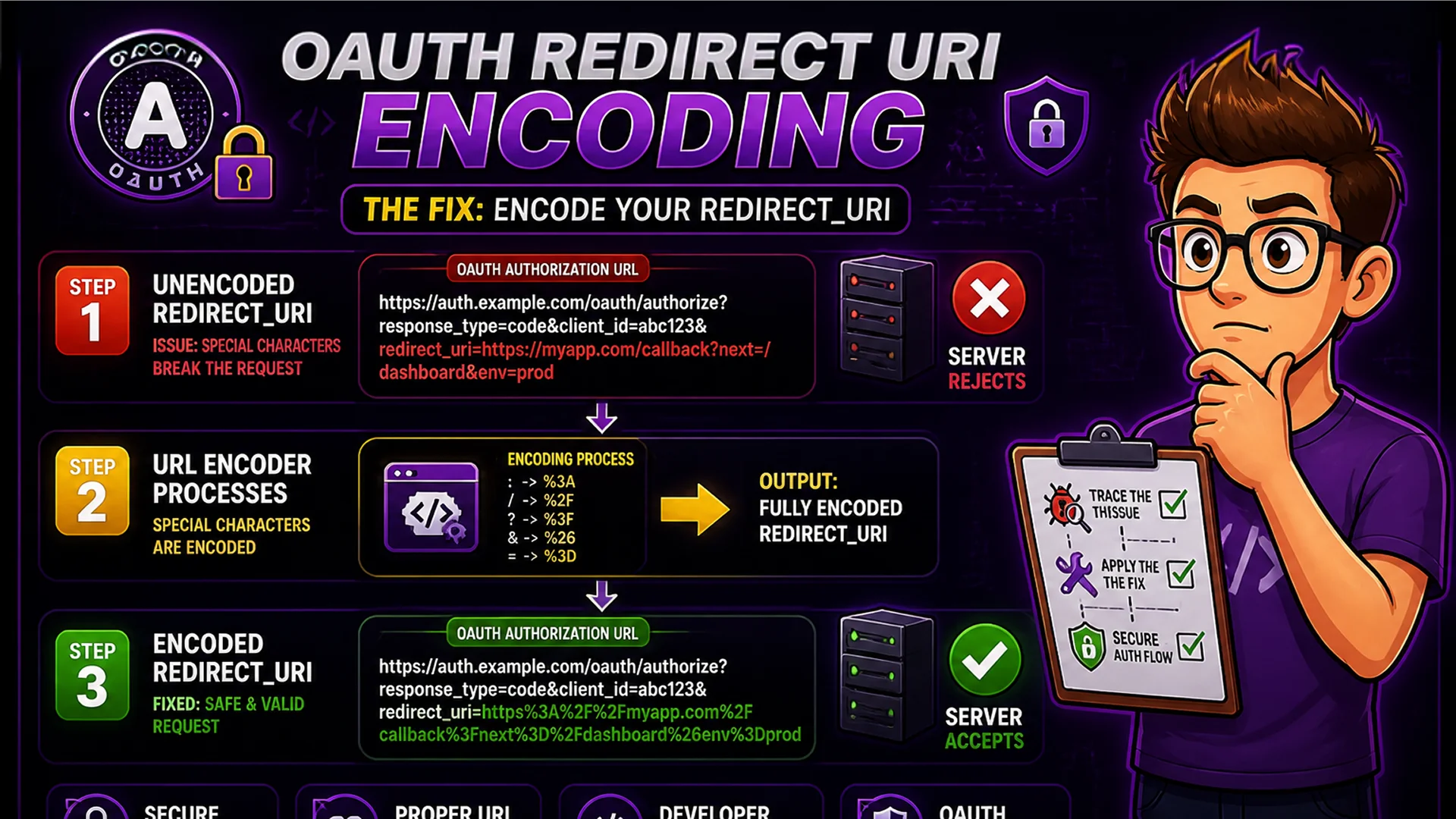
OAuth redirect URIs: the redirect_uri parameter in OAuth flows must be percent-encoded when included as a query parameter in the authorization URL. Fail to encode it and the OAuth server either rejects the request or misparses the redirect destination. Search query parameters: a search query containing spaces, quotes, or ampersands must be encoded before appending to a URL — otherwise the query string parser splits it at the unencoded special character.
Nested URL parameters: a URL that contains another URL as a query parameter value — common in tracking systems, SSO flows, and redirect chains — requires the inner URL to be fully encoded so the outer URL parser treats it as a single value. Internationalized URLs: URLs containing non-ASCII characters (accented letters, CJK characters, emoji) require percent-encoding of their UTF-8 byte sequences.
Privacy and No Data Transmission
URLs can contain sensitive information: authentication tokens in query parameters, API keys in webhook URLs, private redirect destinations in SSO flows. Using an external encoder means this sensitive data passes through a third-party server.
The Toolsnests URL Encoder uses JavaScript's built-in encodeURIComponent() and decodeURIComponent() functions, which run entirely in your browser. Nothing is transmitted to any server. The encoding happens locally in under a millisecond.
Related Developer Tools
Base64 Encoder — encode and decode Base64 strings for API authentication and data URIs. JSON Formatter — format API responses and configuration files with syntax highlighting. Meta Tag Generator — generate correctly encoded canonical URL meta tags for SEO.
Final Thoughts
URL encoding is a foundational web development skill that comes up constantly in API integration, authentication flows, and query string construction. Having an instant, browser-local encoder and decoder eliminates a class of common bugs and saves significant debugging time.
Open the URL Encoder and Decoder the next time you are debugging a query string issue — you will identify the encoding problem in seconds.